 / EUR
/ EUR
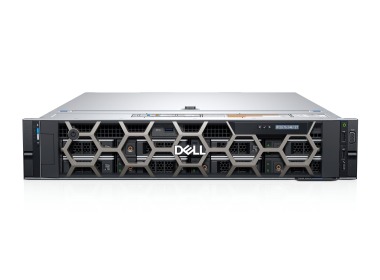
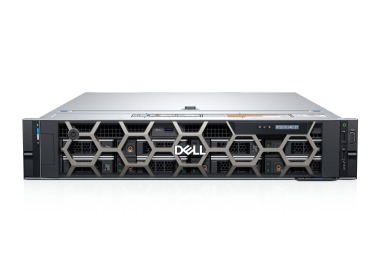
- Station de travail Dell Precision R7910 8x2.5" avec 2xE5-2667v4, 64GB RAM, H730P, 2x480GB SSD SATA 2.5", 1xQuadro M2000, 2xPSU, rails, iDRAC 8 Enterprise, Windows 11 Pro1x Plateforme de station de travail Dell Precision Dell Precision R7910 8x2.5" 2x Processeur Intel Xeon E5-2667 v4 8-core 3.2GHz 25MB 135W SR2P5 4x Mémoire RA...Calcul du délai de livraison...En stock 1Garantie garantie 36 mois1 737,44 € 1 412,55 €
- Workstation Dell Precision R7920 8x3.5" with 2x Gold 6132, 96GB RAM, H730P, 2x 480GB SSD SATA 2.5", 1x Quadro RTX 6000, 2xPSU, Rails, iDRAC 9 EnterpriseL'ensemble comprend : 1x Plateforme de station de travail Dell Precision Dell Precision R7920 8x3.5" 2x Processeur Intel Xeon Gold 6132 14-core 2.6GHz 19.25MB ...Calcul du délai de livraison...En stock 1Garantie garantie 36 mois3 389,44 € 2 755,64 €
- Workstation Dell Precision R7920 8x3.5" with 2x Gold 5118, 32GB RAM, H730P, 2x 480GB SSD SATA 2.5", 4x1GbE, 1x Quadro P400, 2xPSU, Rails, iDRAC 9 EnterpriseL'ensemble comprend : 1x Plateforme de station de travail Dell Precision Dell Precision R7920 8x3.5" 2x Processeur Intel Xeon Gold 5118 12-core 2.3GHz 16.5MB 1...Calcul du délai de livraison...En stock 1Garantie garantie 36 mois1 844,98 € 1 499,98 €

FAQ
What hardware requirements should a Navisworks workstation meet?
Navisworks is used to combine and review large multidiscipline models, so you need a balanced configuration: a powerful processor, plenty of RAM, a fast SSD and a graphics card with good drivers. The exact specification depends on the size of your models and on whether you use Navisworks for viewing, coordination, clash detection or schedule simulation. Treat the manufacturer's minimum requirements as a starting point, not as your target configuration.
How much RAM is enough for model coordination in Navisworks?
Memory demand grows with the size and number of loaded models. Smaller projects need less, but coordinating large facilities with many disciplines calls for noticeably more. A shortage of RAM shows up as slower model opening and less smooth navigation. Choose memory with some headroom, ideally with the option to expand it later.
Where should I save money in Navisworks, and where should I invest: CPU or GPU?
Both components matter, but they play different roles. The processor handles tasks such as loading models, clash detection and data processing, while the graphics card handles smooth navigation and display in the 3D view window. When working with complex models, it's best to avoid bottlenecks, so a balanced setup is a better choice than investing in just one component.
Does a professional NVIDIA RTX PRO (formerly Quadro) card make sense in a Navisworks workstation?
It isn't always mandatory, but it is usually recommended for professional use. Professional graphics cards (from the NVIDIA RTX PRO series, formerly Quadro) have drivers optimized and certified for engineering software, which helps keep your work stable. Check the list of certified cards on the Autodesk website and choose a model that suits the size of your projects.
What type of drive should I choose for working with large models in Navisworks?
A fast NVMe SSD works best, as it shortens the time needed to load and save large model files. Capacity should account for your project archive and files from multiple disciplines. A separate system drive and a second drive for project data is often a good solution. Additional space for backups can be provided on a network drive or a server.