 / EUR
/ EUR
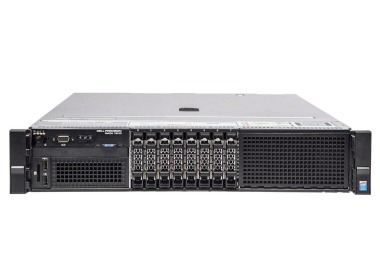
- Station de travail Dell Precision R7910 8x2.5" avec 2xE5-2667v4, 64GB RAM, H730P, 2x480GB SSD SATA 2.5", 1xQuadro M2000, 2xPSU, rails, iDRAC 8 Enterprise, Windows 11 Pro1x Plateforme de station de travail Dell Precision Dell Precision R7910 8x2.5" 2x Processeur Intel Xeon E5-2667 v4 8-core 3.2GHz 25MB 135W SR2P5 4x Mémoire RA...Calcul du délai de livraison...En stock 1Garantie garantie 36 mois1 737,44 € 1 412,55 €
- Workstation Dell Precision R7910 8x2.5" with 2xE5-2667v3, 64GB RAM, H730P, 2x 960GB SSD SATA 2.5", 4x1GbE, 1xQuadro K620 2xPSU, Rails, iDRAC 8 Enterprise1x Plateforme de station de travail Dell Precision Dell Precision R7910 8x2.5" 2x Processeur Intel Xeon E5-2667 v3 8-core 3.2GHz 20MB 135W SR203 4x Mémoire RA...Calcul du délai de livraison...En stock 1Garantie garantie 36 mois1 795,90 € 1 460,08 €
- Workstation Dell Precision R7910 8x2.5" with 2xE5-2690v4, 32GB RAM, H730P, 2x 480GB SSD SATA 2.5", 1xQuadro K4200, 2xPSU, Rails, iDRAC 8 Enterprise1x Plateforme de station de travail Dell Precision Dell Precision R7910 8x2.5" 2x Processeur Intel Xeon E5-2690 v4 14-core 2.6GHz 35MB 135W SR2N2 2x Mémoire R...Calcul du délai de livraison...En stock 1Garantie garantie 36 mois1 415,59 € 1 150,89 €


FAQ
What is a BIOVIA workstation used for?
BIOVIA is a software suite for molecular modeling, simulation, cheminformatics and laboratory data management. A workstation provides the computing power these tasks require, such as molecular dynamics simulations, ligand docking or analysis of large datasets. Well-chosen hardware shortens calculation times and keeps performance stable, even on demanding projects.
Which processor should I choose for BIOVIA?
It depends on the module and how you run your calculations. Many simulations scale well across multiple cores, so processors with high core counts, such as workstation-class CPUs, are a good fit. For tasks that are less parallelized, a high clock speed matters more. Before choosing a configuration, check how your main workload scales.
Do I need a graphics card for BIOVIA?
A professional graphics card, such as one from the NVIDIA RTX series, is useful for visualizing molecular structures. Some calculations, for example in the Discovery Studio module, can also use GPU acceleration. Whether you need a GPU for the calculations themselves depends on the modules you use, so check the requirements of the specific software version.
How much RAM do I need for molecular simulations?
For basic work and smaller models, a few dozen GB is usually enough. Large systems, long simulations and analysis of extensive datasets, however, require more. If you plan to expand your projects, choose a platform that lets you increase memory later. ECC RAM reduces the risk of errors in long calculations.
Can the system be customized to fit the way I work with BIOVIA?
Yes, the computer's specifications can be tailored to the BIOVIA modules you use, the size of the data you process and your budget. This applies to the processor, RAM, graphics card and drives. If you are not sure which components will work best, describe your use case to an advisor, who can help you select hardware that meets the software requirements.