 / EUR
/ EUR
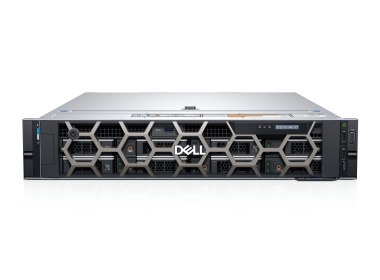
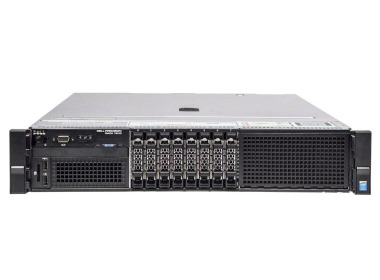
- Station de travail Dell Precision R7910 8x2.5" avec 2xE5-2667v4, 64GB RAM, H730P, 2x480GB SSD SATA 2.5", 1xQuadro M2000, 2xPSU, rails, iDRAC 8 Enterprise, Windows 11 Pro1x Plateforme de station de travail Dell Precision Dell Precision R7910 8x2.5" 2x Processeur Intel Xeon E5-2667 v4 8-core 3.2GHz 25MB 135W SR2P5 4x Mémoire RA...Calcul du délai de livraison...En stock 1Garantie garantie 36 mois1 737,44 € 1 412,55 €
- Workstation Dell Precision R7920 8x3.5" with 2x Gold 5118, 64GB RAM, H730P, 2x 480GB SSD SATA 2.5", 4x1GbE, 1x Pro WX4100, 2xPSU, Rails, iDRAC 9 EnterpriseL'ensemble comprend : 1x Plateforme de station de travail Dell Precision Dell Precision R7920 8x3.5" 2x Processeur Intel Xeon Gold 5118 12-core 2.3GHz 16.5MB 1...Calcul du délai de livraison...En stock 1Garantie garantie 36 mois2 123,15 € 1 726,14 €
- Workstation Dell Precision R7910 8x2.5" with 2xE5-2687Wv4, 64GB RAM, H730P, 2x 480GB SSD SATA 2.5", 4x1GbE, 1xQuadro K2200, 2xPSU, Rails, iDRAC 8 Enterprise1x Plateforme de station de travail Dell Precision Dell Precision R7910 8x2.5" 2x Processeur Intel Xeon E5-2687W v4 12-core 3GHz 30MB 160W SR2NA 2x Mémoire RA...Calcul du délai de livraison...En stock 1Garantie garantie 36 mois1 521,44 € 1 236,94 €
- Workstation Dell Precision T7810 2x3.5" with 2x E5-2667v4, 32GB RAM, 1x 960GB SSD SATA 2.5", 1x Quadro K4200, 1x PSU1x Plateforme de station de travail Dell Precision T7810 2x3.5" 2x Processeur Intel Xeon E5-2667 v4 8-core 3.2GHz 25MB 135W SR2P5 2x Mémoire RAM 16GB 2133MHz ...Calcul du délai de livraison...En stock 1Garantie garantie 36 mois1 099,03 € 893,52 €
- Station de travail Dell Precision T7920 avec 2x Gold 6154, 16GB RAM, 1x 960GB SSD SATA 2.5", 1x PSU,L'ensemble comprend : 1x Plateforme de station de travail Dell Precision T7920 4x3.5" 2x Processeur Intel Xeon Gold 6154 18-core 3GHz 24.75MB 200W SR3J5 2x Mé...Calcul du délai de livraison...En stock 1Garantie garantie 36 mois1 721,24 € 1 399,38 €



FAQ
What is the best workstation for Cinema 4D Studio?
It depends on what you do in the software. For modeling and animation, what matters most is a powerful processor with high core clock speeds. For GPU rendering (e.g. in Redshift), a strong graphics card with plenty of VRAM is more important. Choose a configuration that suits your projects, and for larger scenes make sure you also have some spare RAM.
Is the CPU or the graphics card more important for Cinema 4D?
Both matter, but for different tasks. The CPU handles work in the viewport, simulations and rendering with CPU-based render engines such as Standard or Physical. The graphics card speeds up rendering in GPU engines such as Redshift, and makes the viewport preview smoother. If you mainly render on the GPU, prioritize the graphics card; if you render on the CPU, go for a processor with a high core count.
How much RAM do you need to work in Cinema 4D Studio?
32 GB is usually enough for simpler scenes. For complex projects, simulations, large textures, or when working in several applications at once, consider 64 GB or more. Too little RAM causes slowdowns and can interrupt rendering. It's best to choose the exact amount based on the scale of your scenes.
Is a Cinema 4D workstation also suitable for other 3D software?
Yes, configurations designed for Cinema 4D also perform well with applications such as After Effects, Blender, 3ds Max and Houdini. They all rely on similar resources: a fast processor, a powerful graphics card and enough RAM. Before buying, check the requirements of the specific software you use.
Can a Cinema 4D computer be customized to my requirements?
Yes, the configuration can be tailored to the type of projects you work on, your chosen render engine and your budget. If you're not sure which components will matter most for you, contact a Hardware Direct advisor. Describe what you work on, and they will help you choose the right processor, graphics card and amount of memory.