 / EUR
/ EUR
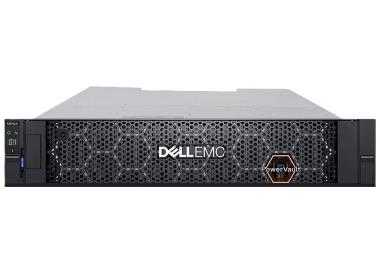
- Nouveau tiroir de disques Dell PowerVault ME424 24x2.5" avec 2x2.4TB SAS HDD 10K 2.5", 2xPSU 580W, rails, façadeLe NOUVEAU kit comprend 1x Plate-forme de baie de disque Dell PowerVault ME424 24x2.5" 2x Contrôleur SAS 12Gb/s de baie de disque Dell PowerVault ME424 2x dis...Garantie garantie 36 mois3 395,96 € 2 760,94 €Rupture de stock
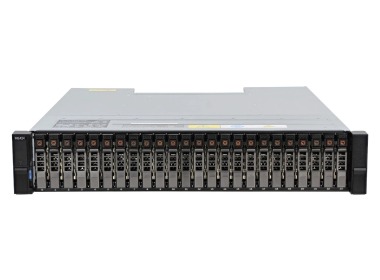
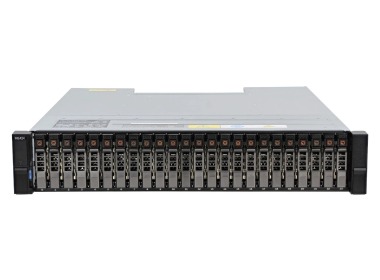
- Tiroir disque Dell PowerVault ME424 24x2.5 z 2x Contrôleur EMM, 2x PSU, rails, façadeL'ensemble comprend : 1x Tiroir de disques Dell PowerVault ME424 24x2.5" 1x Façade 1x Kit de rails...Calcul du délai de livraison...En stock 1Garantie garantie 36 mois7 953,99 € 6 466,66 €
- Tiroir disque Dell PowerVault ME424 avec 2x Contrôleur EMM, 6x Dell HDD 2TB SAS 2.5", 2x PSU, railsL'ensemble comprend : 1x Plateforme de tiroir de disques Dell PowerVault ME424 SAN/DAS 2x Contrôleur EMM de tiroir de disques Dell PowerVault ME424 6x Disque ...Calcul du délai de livraison...En stock 1Garantie garantie 36 mois8 361,04 € 6 797,59 €
- Tiroir disque Dell PowerVault ME424 avec 2x Contrôleur EMM, 10x Dell HDD 1TB SAS 2.5", 2x PSU, railsL'ensemble comprend : 1x Plateforme de tiroir de disques Dell PowerVault ME424 SAN/DAS 2x Contrôleur EMM de tiroir de disques Dell PowerVault ME424 10x Disque...Calcul du délai de livraison...En stock 1Garantie garantie 36 mois8 184,26 € 6 653,87 €

FAQ
What is the Dell PowerVault ME424 and what is it used for?
The Dell PowerVault ME424 is an expansion enclosure from the ME4 series, designed for 2.5-inch drives. It does not replace an array with controllers; it adds more drive bays to one. It's a good fit when your data keeps growing and you don't want to replace your entire storage system.
Which Dell PowerVault ME4 arrays is the ME424 compatible with?
The ME424 connects via SAS to arrays with ME4 series controllers, such as the ME4012 or ME4024. Before you buy, check the Dell documentation to confirm it works with your model and firmware version. You should also check how many expansion enclosures can be connected in a single configuration.
What drives can be installed in the ME424?
The ME424 has 2.5-inch drive bays, so you need drives in that form factor, such as SAS or SSD. Specific drive models should be compatible with the Dell compatibility list for the ME4 series. Drives from unverified sources may cause performance problems or affect your warranty.
Can the ME424 work on its own as a disk array?
No. The ME424 is an expansion enclosure, so it has no RAID controllers of its own to manage data and make it available to servers. To operate, it needs an ME4 array with controllers that it is connected to. Only together do they form a single storage system.
What should I check before buying the Dell PowerVault ME424?
Verify compatibility with your existing ME4 array and its firmware, the type and number of drives you need, and the SAS cables required to connect the enclosures. Also pay attention to the condition of the hardware (new or used) and the scope of the warranty. If you have any doubts, you can discuss your configuration with a Hardware Direct advisor.