 / EUR
/ EUR
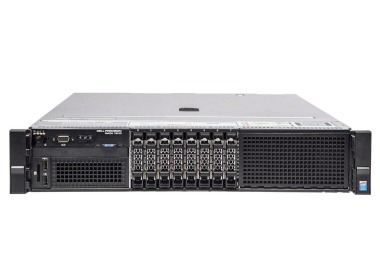
- Workstation Dell Precision R7910 8x2.5" with 2xE5-2690v4, 32GB RAM, H730P, 2x 480GB SSD SATA 2.5", 1xQuadro K4200, 2xPSU, Rails, iDRAC 8 Enterprise1x Plateforme de station de travail Dell Precision Dell Precision R7910 8x2.5" 2x Processeur Intel Xeon E5-2690 v4 14-core 2.6GHz 35MB 135W SR2N2 2x Mémoire R...Calcul du délai de livraison...En stock 1Garantie garantie 36 mois1 415,59 € 1 150,89 €
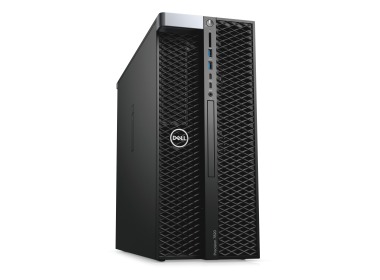
- Workstation Dell Precision T7810 2x3.5" with 2x E5-2667v3, 64GB RAM, 2x 480GB SSD SATA 2.5", 1x Quadro P4000, 1x PSU1x Plateforme de station de travail Dell Precision T7810 2x3.5" 2x Processeur Intel Xeon E5-2667 v3 8-core 3.2GHz 20MB 135W SR203 4x Mémoire RAM 16GB 2133MHz ...Calcul du délai de livraison...En stock 1Garantie garantie 36 mois1 331,63 € 1 082,63 €
- Station de travail Dell Precision T7820 4x3.5" z 2x Gold 6154, 64GB RAM, 1x 960GB SSD SATA 2.5", 1x Quadro RTX6000, 1x PSU,L'ensemble comprend : 1x Plateforme de station de travail Dell Precision T7820 4x3.5" 2x Processeur Intel Xeon Gold 6154 18-core 3GHz 24.75MB 200W SR3J5 2x Mé...Calcul du délai de livraison...En stock 1Garantie garantie 36 mois3 115,68 € 2 533,07 €

FAQ
What kind of workstation works well for DaVinci Resolve?
DaVinci Resolve puts the heaviest load on the graphics card, so the GPU is the most important component. A multi-core processor, a fast NVMe drive and enough RAM also matter. The exact configuration depends on your footage resolution, codecs and project complexity, for example the number of effects or the amount of color correction.
How much RAM and VRAM do you need for DaVinci Resolve?
For basic editing of Full HD footage, 32 GB of RAM is usually enough. If you work in 4K or with Fusion effects, it's better to have 64 GB or more. Graphics card memory (VRAM) matters a lot for color grading, noise reduction and 4K+ footage. Check the exact requirements in the Blackmagic Design documentation.
Is an NVIDIA or an AMD graphics card better for DaVinci Resolve?
Resolve works with cards from both manufacturers, and the choice mostly comes down to your budget and how you work. NVIDIA cards offer hardware decoding and good CUDA support, and professional models (e.g. the RTX A series) come with plenty of VRAM. Check which graphics card the workstation you're considering has and compare it with your needs.
Is a refurbished (ex-lease) workstation suitable for video editing in DaVinci Resolve?
Yes, as long as its specifications match your projects. Ex-lease equipment is often noticeably cheaper than new, and workstation-class models are designed to run under heavy load. Pay attention to the processor, graphics card, amount of RAM and drive type, as well as the warranty offered by the store.
Can a workstation configuration be customized to suit my needs?
On many models you can replace or upgrade the RAM and drives, and sometimes the graphics card as well. This lets you tailor the configuration to the type of footage you edit, such as 4K, RAW or color grading. If you're not sure which setup to choose, contact the store's advisor.