 / EUR
/ EUR
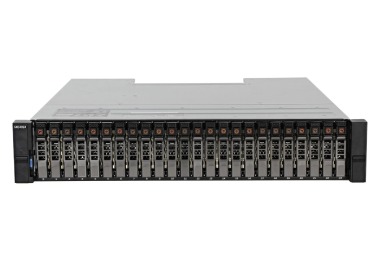
- Baie de stockage Dell ME4024 24x2.5" avec 2x 4x10GbE SFP+, 6x Dell 1.92TB SSD SAS 2.5", 2x PSU, façade, railsL'ensemble comprend : 1x Plateforme de baie Dell PowerVault ME4024 24x2.5" 2x Contrôleur de baie Dell 4x10/16Gb FC 6x Disque Dell 1.92TB SSD SAS 12G 2.5" 6x T...Calcul du délai de livraison...En stock 1Garantie garantie 36 mois17 374,76 € 14 125,82 €
- NEW Storage expansion Dell PowerVault ME412 12x3.5" 2xEMM, 2x4TB HDD 7.2K, 2xPSU, railsLe NOUVEAU kit comprend 1x plate-forme de baie de disque Dell PowerVault ME412 12x3.5" 2x Contrôleur EMM SAS 12Gb/s de baie de disque Dell PowerVault ME412 2x...Garantie garantie 36 mois5 373,06 € 4 368,34 €Rupture de stock
- NEW Storage expansion Dell PowerVault ME412 12x3.5" 2xEMM, 2x4TB HDD 7.2K, 2xPSU, railsLe NOUVEAU kit comprend 1x plate-forme de baie de disque Dell PowerVault ME412 12x3.5" 2x Contrôleur EMM SAS 12Gb/s de baie de disque Dell PowerVault ME412 2x...Garantie garantie 36 mois5 373,06 € 4 368,34 €Rupture de stock
- Baie de stockage Dell PowerVault ME4024 avec 2x 4x10GbE SFP+, 12x Dell 960GB SAS SSD 2.5", 2x PSU, façade, railsL'ensemble comprend : 1x Plateforme de baie Dell PowerVault ME4024 24x2.5" 2x Contrôleur de baie Dell 4x10/16Gb FC 12x Disque Dell 960GB SSD SAS 12G 2.5" 12x ...Calcul du délai de livraison...En stock 2Garantie garantie 36 mois17 258,92 € 14 031,64 €
- Dell PowerVault storage array ME4024 with 2x iSCSI (10GbE Base-T) controller, 2x 580W AC PSU, railsL'ensemble comprend : 1x Plateforme de baie Dell PowerVault ME4024 24x2.5" 2x 4x10GbE BASE-T contrôleur de baie de stockage Dell 2x Alimentation Dell 580W 100...Calcul du délai de livraison...En stock 1Garantie garantie 36 mois11 800,88 € 9 594,21 €
- Dell PowerVault storage array ME4024 with 2x FC (10/16Gb) controller, 2x 580W AC PSU, railsL'ensemble comprend : 1x Plateforme de baie Dell PowerVault ME4024 24x2.5" 2x Contrôleur de baie Dell 4x10/16Gb FC 2x Alimentation Dell 580W 100-240V AC 50/60...Calcul du délai de livraison...En stock 1Garantie garantie 36 mois12 405,95 € 10 086,14 €




FAQ
What are the typical use cases for the Dell PowerVault ME4024?
The Dell PowerVault ME4024 is an entry-level to mid-range block storage array designed to centralize data in a company's infrastructure. It is typically used as shared storage for servers, virtualization (e.g. VMware, Hyper-V), databases and file systems. It is a good fit where 2.5" drive performance and continuous availability, provided by its redundant design, are important.
What drives, SSD or HDD, can be installed in the ME4024 enclosure?
The ME4024 is a 2U array with 2.5" drive bays. You can build a configuration based on SSDs, HDDs or a hybrid setup, depending on your performance and capacity requirements. Before buying, check the list of compatible drives and the firmware for your chosen configuration to avoid compatibility issues.
What interfaces does the Dell PowerVault ME4024 support for connecting servers?
ME4 series arrays are available with controller variants offering different host interfaces, such as Fibre Channel, iSCSI or SAS. The right choice depends on your existing infrastructure: a SAN, Ethernet switches or direct connections to servers. The interface is selected at the time of order, so confirm the controller variant before buying.
How can I increase storage capacity in the ME4024 without replacing the whole array?
Yes, ME4 series arrays support Dell PowerVault ME4 expansion enclosures, which let you increase capacity without replacing the entire system. The maximum number of drives and the available enclosure types depend on the configuration and software version. When planning an expansion, check the manufacturer's current documentation or consult an advisor on the right choice.
What should I consider when choosing an ME4024 array configuration?
The key factors are the required usable capacity and performance (drive type and RAID level), the host interface type, compatibility with your existing servers and switches, and the scope of service support. It is also a good idea to leave headroom for future data growth. If you are not sure which configuration is right, contact a Hardware Direct advisor.