 / EUR
/ EUR
Configurateurs de serveurs


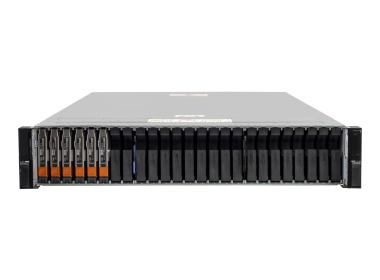
- Baie de stockage Dell PowerStore 500T avec, 2x Module d'E/S double (4x10/25GbE SFP28), 12x 1.92TB SSD NVMe, Rails, FaçadeL'ensemble comprend : 1x Plateforme de baie Dell PowerStore 4x Module IO Dell EMC 4x10/25GbE SFP28 iSCSI 12x Disque Dell EMC PowerStore 1.92TB SSD NVMe PCIe 2....Calcul du délai de livraison...En stock 1Garantie garantie 36 mois42 051,76 € 34 188,42 €
- Baie de stockage Dell PowerStore 500T avec, Module d'E/S double Base-T (4x10GbE), Module d'E/S double (4x10/25GbE SFP28), 6x 3.84TB SSD NVMe, RailsL'ensemble comprend : 1x Plateforme de baie Dell PowerStore 2x Module IO 4x10GbE Base-T 2x Module IO Dell EMC 4x10/25GbE SFP28 iSCSI 6x Disque SSD pour Dell EM...Calcul du délai de livraison...En stock 1Garantie garantie 36 mois38 046,38 € 30 932,02 €

FAQ
What roles does the PowerStore 500T play in a company's IT infrastructure?
The Dell PowerStore 500T is a storage array from the PowerStore family that stores data and makes it available across a business IT environment. It most often supports databases, virtualization and file servers. It works well in mid-sized companies and branch offices that need high-performance storage in a compact chassis.
What does the "T" in PowerStore 500T stand for?
The "T" denotes the PowerStore T variant, a classic storage array without a built-in hypervisor for running applications (the AppsON feature is available in "X" models). This type of array works as dedicated storage for external servers and virtualization hosts. Please confirm the details of the variant in the specification of your particular configuration.
What types of data and access standards does the 500T support?
PowerStore T is a unified platform, so it supports both block and file data. These typically include iSCSI, Fibre Channel, NFS and SMB, and, depending on the software version, NVMe over Fabrics as well. The range of available interfaces depends on the selected cards and configuration, so check it with an advisor before you buy.
Can the PowerStore 500T be expanded as your needs grow?
Yes, the PowerStore platform is designed to be scalable. You can increase capacity with expansion enclosures, and you can also combine several appliances in a cluster. The exact limits depend on the PowerStoreOS version and configuration, so when planning an expansion, check them in the current Dell documentation.
What should I consider when choosing the 500T configuration for a specific use case?
Start with the required usable capacity, the expected IOPS and latency, and the type of workloads, such as virtualization, databases or files. Also consider the protocols and network interfaces you need, licensing, and the level of manufacturer support. Based on this, a Hardware Direct advisor will prepare a configuration and quote.