 / EUR
/ EUR
- Station de travail Dell Precision R7920 8x3.5" avec 2x Gold 6130, 128GB RAM, 1x 960GB SSD SATA 2.5", Nvidia Quadro P4000 8GB, 4x1GbE RJ45, 2x PSU, railsL'ensemble comprend : 1x Plateforme de station de travail Dell Precision Dell Precision R7920 8x3.5" 2x Processeur Intel Xeon Gold 6130 16-core 2.1GHz 22MB 125...Calcul du délai de livraison...En stock 10Garantie garantie 36 mois2 744,90 € 2 231,63 €
- Station de travail Dell Precision R7920 8x3.5" avec 1x Gold 6130, 64GB RAM, 1x 1.6TB SSD PCIe NVMe HHHL, Nvidia Quadro RTX 4000 8GB, 4x10GbE RJ45, 2x PSU, rails, façade, Windows 11 Pro, iDRAC 9 EnterpriseL'ensemble comprend : 1x Plateforme de station de travail Dell Precision Dell Precision R7920 8x3.5" 1x Processeur Intel Xeon Gold 6130 16-core 2.1GHz 22MB 125...Calcul du délai de livraison...En stock 14Garantie garantie 36 mois2 489,74 € 2 024,18 €
- Workstation Dell Precision R7920 8x3.5" with 2x Gold 5120, 96GB RAM, H730P, 2x 480GB SSD SATA 2.5", 4x1GbE, 1xQuadro K620, 2xPSU, Rails, iDRAC 9 EnterpriseL'ensemble comprend : 1x Plateforme de station de travail Dell Precision Dell Precision R7920 8x3.5" 2x Processeur Intel Xeon Gold 5120 14-core 2.2GHz 19.25MB ...Calcul du délai de livraison...En stock 1Garantie garantie 36 mois2 398,56 € 1 950,05 €
- Workstation Dell Precision R7920 8x3.5" with 2x Silver 4208, 128GB RAM, H730P, 2x 480GB SSD SATA 2.5", 1x Quadro K620, 2xPSU, Rails, iDRAC 9 EnterpriseL'ensemble comprend : 1x Plateforme de station de travail Dell Precision Dell Precision R7920 8x3.5" 2x Processeur Intel Xeon Silver 4208 8-core 2.1GHz 11MB 85...Calcul du délai de livraison...En stock 1Garantie garantie 36 mois2 584,65 € 2 101,34 €
- Workstation Dell Precision R7920 8x3.5" with 2x Gold 6132, 96GB RAM, H730P, 2x 480GB SSD SATA 2.5", 1x Quadro RTX 6000, 2xPSU, Rails, iDRAC 9 EnterpriseL'ensemble comprend : 1x Plateforme de station de travail Dell Precision Dell Precision R7920 8x3.5" 2x Processeur Intel Xeon Gold 6132 14-core 2.6GHz 19.25MB ...Calcul du délai de livraison...En stock 1Garantie garantie 36 mois3 389,44 € 2 755,64 €
- Workstation Dell Precision R7920 8x3.5" with 2x Gold 5118, 32GB RAM, H730P, 2x 480GB SSD SATA 2.5", 4x1GbE, 1x Quadro P400, 2xPSU, Rails, iDRAC 9 EnterpriseL'ensemble comprend : 1x Plateforme de station de travail Dell Precision Dell Precision R7920 8x3.5" 2x Processeur Intel Xeon Gold 5118 12-core 2.3GHz 16.5MB 1...Calcul du délai de livraison...En stock 1Garantie garantie 36 mois1 844,98 € 1 499,98 €
- Workstation Dell Precision R7920 8x3.5" with 2x Gold 5118, 64GB RAM, H730P, 2x 480GB SSD SATA 2.5", 4x1GbE, 1x Pro WX4100, 2xPSU, Rails, iDRAC 9 EnterpriseL'ensemble comprend : 1x Plateforme de station de travail Dell Precision Dell Precision R7920 8x3.5" 2x Processeur Intel Xeon Gold 5118 12-core 2.3GHz 16.5MB 1...Calcul du délai de livraison...En stock 1Garantie garantie 36 mois2 123,15 € 1 726,14 €


FAQ
What is the Dell Precision 7920 Rack used for?
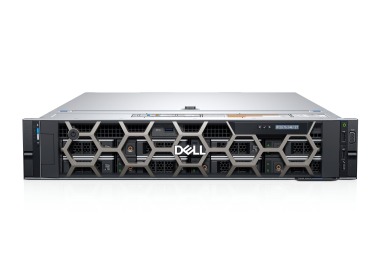
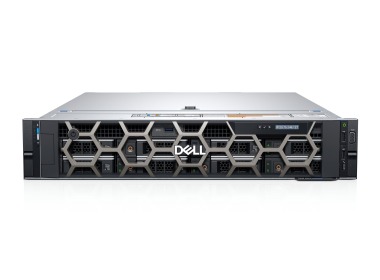
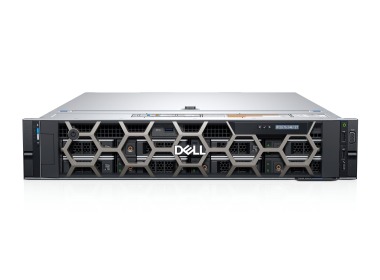
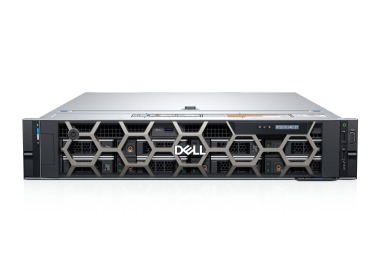
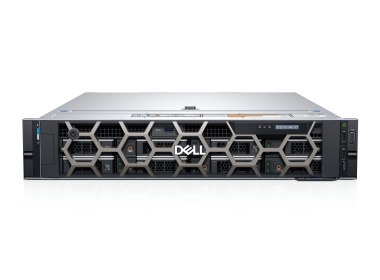
The Dell Precision 7920 Rack is a rack-mounted workstation designed for demanding professional tasks such as 3D rendering, engineering simulations, data analysis and GPU computing. The chassis is installed in a server rack and users connect to the machine remotely. This means the computing power sits in the server room rather than under the desk.
How does the Dell Precision 7920 Rack differ from the Tower version?
Both versions are built on a similar platform but differ in form factor. The Rack version has a chassis for mounting in a 19-inch rack and is designed for server environments. The Tower version sits on a desk or the floor. The Rack is a good choice when you need centralized management and remote access to multiple workstations. You can find the detailed configuration of each model in the offer description.
How do I connect to a rack workstation?
A workstation in a rack has no monitor or keyboard attached, so you work on it remotely. This is most often done with remote desktop protocols and software, such as RDP, or solutions designed for graphics-intensive work, such as HP ROC or Teradici. The connection requires suitable network infrastructure and licenses, so it is best to plan for them before you buy.
Can the Dell Precision 7920 Rack be customized to my needs?
Yes. Workstations in this series are offered in various configurations, which usually differ in processors, amount of RAM, type and capacity of drives, and graphics cards. The available options depend on the specific unit, so check the specification for the product you choose. If you are unsure how to match components to your workloads, contact our advisor.
What should I check before buying a Dell Precision Rack workstation?
Look for a hardware configuration that suits the software you use, meaning the processor, RAM, graphics card and drives. Also make sure you have space in your rack, adequate power and cooling, and a network suitable for remote work. Check the technical condition and warranty coverage of the specific unit as well, especially if it is ex-lease equipment.