 / EUR
/ EUR
Configurateurs de serveurs


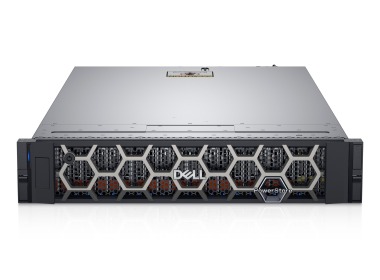
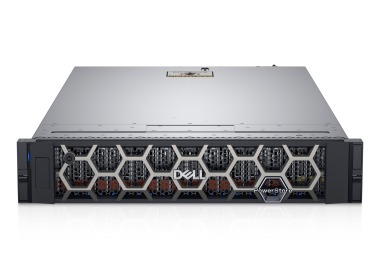
Baie de stockage Dell PowerStore 5200T avec, Module d'E/S double (4x10/25GbE SFP28), 10x 1.92TB SSD NVMe, Rails, Façade
L'ensemble comprend : 1x Plateforme de baie Dell PowerStore 2x Module IO Dell EMC 4x10/25GbE SFP28 iSCSI 10x Disque Dell EMC PowerStore 1.92TB SSD NVMe PCIe 2....Garanties garantie 36 mois49 628,89 € 41 357,41 €Rupture de stockBaie de stockage Dell PowerStore 5200T avec, 2x Module d'E/S double (4x32Gb FC), 6x 7.68TB SSD NVMe, Façade
L'ensemble comprend : 1x Plateforme de baie Dell PowerStore 4x Module pour baie Dell EMC PowerStore 4x32Gb FC SFP28 6x Disque SSD pour Dell EMC PowerStore 7.68...Garanties garantie 36 mois73 982,69 € 61 652,24 €Rupture de stockBaie de stockage Dell PowerStore 5200T avec, 2x Module d'E/S double (4x32Gb FC), 6x 3.84TB SSD NVMe, Rails, Façade
L'ensemble comprend : 1x Plateforme de baie Dell PowerStore 4x Module pour baie Dell EMC PowerStore 4x32Gb FC SFP28 6x Disque SSD pour Dell EMC PowerStore 3.84...Garanties garantie 36 mois54 421,60 € 45 351,33 €Rupture de stockBaie de stockage Dell PowerStore 5200T avec, 2x Module d'E/S double (4x32Gb FC), 6x 1.92TB SSD NVMe, Rails, Façade
L'ensemble comprend : 1x Plateforme de baie Dell PowerStore 4x Module pour baie Dell EMC PowerStore 4x32Gb FC SFP28 6x Disque Dell EMC PowerStore 1.92TB SSD NV...Garanties garantie 36 mois44 890,67 € 37 408,89 €Rupture de stockBaie de stockage Dell PowerStore 5200T avec, Module d'E/S double (4x10/25GbE SFP28), 6x 3.84TB SSD NVMe
L'ensemble comprend : 1x Plateforme de baie Dell PowerStore 2x Module IO Dell EMC 4x10/25GbE SFP28 iSCSI 6x Disque SSD pour Dell EMC PowerStore 3.84TB NVMe PCI...Garanties garantie 36 mois51 142,50 € 42 618,75 €Rupture de stockBaie de stockage Dell PowerStore 5200T avec, Module d'E/S double (4x10/25GbE SFP28), 6x 1.92TB SSD NVMe
L'ensemble comprend : 1x Plateforme de baie Dell PowerStore 2x Module IO Dell EMC 4x10/25GbE SFP28 iSCSI 6x Disque Dell EMC PowerStore 1.92TB SSD NVMe PCIe 2.5...Garanties garantie 36 mois41 611,57 € 34 676,31 €Rupture de stockBaie de stockage Dell PowerStore 5200T avec, 2x Module d'E/S double (4x32Gb FC), 6x 7.68TB SSD NVMe, Rails
L'ensemble comprend : 1x Plateforme de baie Dell PowerStore 4x Module pour baie Dell EMC PowerStore 4x32Gb FC SFP28 6x Disque SSD pour Dell EMC PowerStore 7.68...Garanties garantie 36 mois74 107,50 € 61 756,25 €Rupture de stock




FAQ
What is the Dell PowerStore 5200T storage array used for?
The Dell PowerStore 5200T is a mid-range storage array designed for centralized storage of business data. It supports workloads such as databases, virtualization and file servers. The "T" designation refers to the model that operates as a traditional storage system, where data is presented to servers over the network and no custom applications run on the array itself.
What protocols and data types does the PowerStore 5200T support?
The PowerStore 5200T is a unified system, meaning it supports both block and file data. Servers can connect using common SAN and NAS protocols such as Fibre Channel, iSCSI, NFS and SMB. The exact list of available interfaces and modules depends on the configuration, so it is best to confirm it before ordering.
How does the PowerStore 5200T differ from other PowerStore models?
PowerStore models differ in performance, capacity and expansion options. The 5200T sits in the middle of the range, between the smaller models (e.g. 1200T, 3200T) and the higher-performance 9200T. It is a good choice when you need more power than entry-level arrays offer, but without the cost and scale of top-end systems.
Can the PowerStore 5200T be expanded with additional capacity?
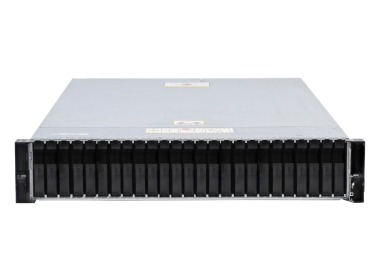
Yes, PowerStore is designed as a scalable platform. Capacity can be increased by adding expansion enclosures with drives and, in larger environments, by combining appliances into a cluster. The available options depend on the specific configuration and software version, so it is best to agree on an expansion plan at the selection stage.
How do I choose the right Dell PowerStore 5200T configuration for my needs?
Start by defining the usable capacity you need, the type of workloads (databases, virtualization, files), the network interfaces required and the expected data growth. Based on these, you can choose the number and type of drives and the I/O modules. It can help to consult an advisor who will verify the configuration before purchase.