 / EUR
/ EUR
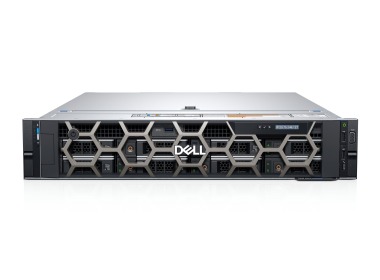
- Workstation Dell Precision R7910 8x2.5" with 2xE5-2667v4, 64GB RAM, H730P, 2x480GB SSD SATA 2.5", 1xQuadro M2000, 2xPSU, rails, iDRAC 8 Enterprise, Windows 11 Pro1x Dell Precision Dell Precision R7910 8x2.5" workstation platform 2x Intel Xeon E5-2667 v4 8-core 3.2GHz 25MB 135W SR2P5 processor 4x RAM 16GB 2133MHz DDR4 RD...Calculating delivery time...In stock 1Warranty 36 months€1,737.44 €1,412.55
- Workstation Dell Precision R7920 8x3.5" with 2x Gold 5120, 96GB RAM, H730P, 2x 480GB SSD SATA 2.5", 4x1GbE, 1xQuadro K620, 2xPSU, Rails, iDRAC 9 EnterpriseThis set contains: 1x Dell Precision Dell Precision R7920 8x3.5" workstation platform 2x Intel Xeon Gold 5120 14-core 2.2GHz 19.25MB 105W SR3GD processor 6x RA...Calculating delivery time...In stock 1Warranty 36 months€2,398.56 €1,950.05
- Workstation Dell Precision R7910 8x2.5" with 2xE5-2667v3, 64GB RAM, H730P, 2x 960GB SSD SATA 2.5", 4x1GbE, 1xQuadro K620 2xPSU, Rails, iDRAC 8 Enterprise1x Dell Precision Dell Precision R7910 8x2.5" workstation platform 2x Intel Xeon E5-2667 v3 8-core 3.2GHz 20MB 135W SR203 processor 4x RAM 16GB 2133MHz DDR4 RD...Calculating delivery time...In stock 1Warranty 36 months€1,795.90 €1,460.08
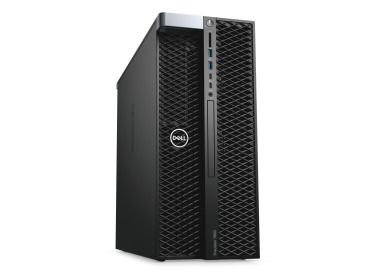
- Workstation Dell Precision T7820 4x3.5" with 2x Gold 6130, 128GB RAM, 1x 480GB SSD SATA 2.5", 1x Quadro M6000, 1x PSUThis set contains: 1x Dell Precision T7820 4x3.5" workstation platform 2x Intel Xeon Gold 6130 16-core 2.1GHz 22MB 125W SR3B9 processor 4x RAM 32GB 2666MHz DDR...Calculating delivery time...In stock 1Warranty 36 months€2,454.31 €1,995.37
- Workstation Dell Precision T5820 4x3.5" with 1x W-2125, 16GB RAM, 1x 480GB SSD SATA 2.5", 1x PSU,This set contains: 1x Dell Precision T5820 4x3.5" workstation platform 1x Intel Xeon W-2125 4-core 4.00GHz 8.25MB 120W SR3LM processor 1x RAM 16GB 2400MHz DDR4...Calculating delivery time...In stock 1Warranty 36 months€738.50 €600.41



FAQ
What kind of computer setup should I choose for flow simulations in Autodesk CFD?
Autodesk CFD is fluid flow simulation software that places a heavy load on the processor and RAM. Workstations with a powerful multi-core CPU, plenty of RAM and a fast SSD work well. The exact configuration depends on the size of your models and the computational mesh, so it's best to tailor it to your own projects.
How much RAM do I need for simulations in Autodesk CFD?
RAM requirements grow with model complexity and the number of mesh elements. Smaller projects need less memory, while large, complex simulations will benefit from considerably more. Choose a workstation where the memory can be upgraded later, and check the software vendor's requirements.
Where should I focus my budget in Autodesk CFD: a powerful CPU or a top-end GPU?
The solver calculations are performed mainly by the processor, so the CPU and RAM have the greatest impact on simulation time. The graphics card is responsible primarily for smooth work with the model and for visualizing results. It should comply with Autodesk's recommendations, for example a professional workstation-class graphics card.
Is a refurbished (ex-lease) workstation suitable for Autodesk CFD?
Yes, as long as the hardware specifications meet the requirements of your simulations. Ex-lease workstations have a solid, professional build and can lower the purchase cost. Before ordering, check the processor model, the amount of RAM, the drive type and the warranty terms.
What is the difference between a new and a refurbished workstation for CFD work?
New hardware comes with the latest components and a full manufacturer's warranty. A refurbished model usually costs less and, in typical engineering tasks, often delivers similar performance. The choice depends on your budget, the scale of your projects and how important the latest-generation processors are to you.