 / EUR
/ EUR
Server Configurators


- Server Dell PowerEdge R740xd2 24x3.5" with 2x Gold 6142, 384GB RAM, HBA330, BOSS-S1 with 2x Dell 240GB SSD SATA RI M.2, 2x10GbE SFP+, 2x PSU 1100W AC, szyny, bezel, iDRAC9 EnterpriseThis set contains: 1x Dell PowerEdge R740xd2 24x3.5" server platform 2x Processor Intel Xeon Gold 6142 16-core 2.6GHz 22MB 150W SR3AY 12x RAM 32GB 2666MHz DDR4...Calculating delivery time...In stock 2Warranty 36 months€4,592.78 €3,733.97
- Server Dell PowerEdge R740xd2 24x3.5" with 2x Silver 4114, 64GB RAM, HBA330, BOSS-S1 with 2x 240GB SSD SATA RI M.2, 2x1GbE, 2x10GbE BASE-T, 2x PSU 495W AC, szyny, iDRAC9 EnterpriseThis set includes: 1x Dell PowerEdge R740xd2 24x3.5" server platform 2x Intel Xeon Silver 4114 10-core 2.2GHz 13.75MB 85W SR3GK processor 4x RAM 16GB 2400MHz D...Calculating delivery time...In stock 6Warranty 36 monthsSpecial offer available until further notice.Special Price €2,238.90 €1,820.24 Regular Price €2,273.78
- Server Dell PowerEdge R740xd2 24x3.5" with 2x Silver 4110, 64GB RAM, H730P, 2x 960GB SSD SATA 2.5", 4x1GbE RJ45, 2x PSU 495W AC, szyny, iDRAC9 EnterpriseThis set includes: 1x Dell PowerEdge R740xd2 24x3.5" server platform 2x Processor Intel Xeon Silver 4110 8-core 2.1GHz 11MB 85W SR3GH 4x RAM 16GB 2400MHz DDR4 ...Calculating delivery time...In stock 4Warranty 36 months€2,478.01 €2,014.64
- Server Dell PowerEdge R740xd2 24x3.5" with 2x Silver 4110, 32GB RAM, H730P, 2x 960GB SSD SATA 2.5", 4x1GbE RJ45, 2x PSU 495W AC, szyny, iDRAC9 EnterpriseThis set includes: 1x Dell PowerEdge R740xd2 24x3.5" server platform 2x Processor Intel Xeon Silver 4110 8-core 2.1GHz 11MB 85W SR3GH 2x RAM 16GB 2400MHz DDR4 ...Calculating delivery time...In stock 4Warranty 36 months€2,268.66 €1,844.44
- Server Dell PowerEdge R740xd2 24x3.5" with 2x Silver 4110, 128GB RAM, H730P, 2x 960GB SSD SATA 2.5", 4x1GbE RJ45, 2x PSU 495W AC, szyny, iDRAC9 EnterpriseThis set includes: 1x Dell PowerEdge R740xd2 24x3.5" server platform 2x Processor Intel Xeon Silver 4110 8-core 2.1GHz 11MB 85W SR3GH 8x RAM 16GB 2400MHz DDR4 ...Calculating delivery time...In stock 4Warranty 36 months€2,896.69 €2,355.03
- Server Dell PowerEdge R740xd2 24x3.5" with 2x Silver 4108, 32GB RAM, H330 Mini, 2x 960GB SSD SATA 2.5", 2x1GbE, 2x PSU 750W AC, iDRAC9 EnterpriseThis set includes: 1x Dell PowerEdge R740xd2 24x3.5" server platform 2x Intel Xeon Silver 4108 8-core 1.8GHz 11MB 85W SR3GJ processor 2x RAM 16GB 2400MHz DDR4 ...Calculating delivery time...In stock 4Warranty 36 months€2,195.60 €1,785.04
- Server Dell PowerEdge R740xd2 24x3.5" with 2x Silver 4108, 128GB RAM, H730P, 2x 960GB SSD SATA 2.5", 4x1GbE RJ45, 2x PSU 495W AC, szyny, iDRAC9 EnterpriseThis set includes: 1x Dell PowerEdge R740xd2 24x3.5" server platform 2x Intel Xeon Silver 4108 8-core 1.8GHz 11MB 85W SR3GJ processor 8x RAM 16GB 2400MHz DDR4 ...Calculating delivery time...In stock 4Warranty 36 months€2,899.36 €2,357.20
- Server Dell PowerEdge R740xd2 24x3.5" with 2x Silver 4108, 64GB RAM, H730P, 2x 960GB SSD SATA 2.5", 4x1GbE RJ45, 2x PSU 495W AC, szyny, iDRAC9 EnterpriseThis set includes: 1x Dell PowerEdge R740xd2 24x3.5" server platform 2x Intel Xeon Silver 4108 8-core 1.8GHz 11MB 85W SR3GJ processor 4x RAM 16GB 2400MHz DDR4 ...Calculating delivery time...In stock 4Warranty 36 months€2,480.68 €2,016.81
- Server Dell PowerEdge R740xd2 24x3.5" with 2x Silver 4112, 32GB RAM, H730P, 2x 960GB SSD SATA 2.5", 4x1GbE RJ45, 2x PSU 495W AC, szyny, iDRAC9 EnterpriseThis set includes: 1x Dell PowerEdge R740xd2 24x3.5" server platform 2x Intel Xeon Silver 4112 4-core 2.6GHz 8.25MB 85W SR3GN processor 2x RAM 16GB 2400MHz DDR...Calculating delivery time...In stock 4Warranty 36 months€2,266.34 €1,842.55
- Server Dell PowerEdge R740xd2 24x3.5" with 2x Silver 4112, 64GB RAM, H730P, 2x 960GB SSD SATA 2.5", 4x1GbE RJ45, 2x PSU 495W AC, szyny, iDRAC9 EnterpriseThis set includes: 1x Dell PowerEdge R740xd2 24x3.5" server platform 2x Intel Xeon Silver 4112 4-core 2.6GHz 8.25MB 85W SR3GN processor 4x RAM 16GB 2400MHz DDR...Calculating delivery time...In stock 4Warranty 36 months€2,475.68 €2,012.75
- Server Dell PowerEdge R740xd2 24x3.5" with 2x Silver 4112, 128GB RAM, H730P, 2x 960GB SSD SATA 2.5", 4x1GbE RJ45, 2x PSU 495W AC, szyny, iDRAC9 EnterpriseThis set includes: 1x Dell PowerEdge R740xd2 24x3.5" server platform 2x Intel Xeon Silver 4112 4-core 2.6GHz 8.25MB 85W SR3GN processor 8x RAM 16GB 2400MHz DDR...Calculating delivery time...In stock 4Warranty 36 months€2,894.36 €2,353.14
- Server Dell PowerEdge R740xd2 24x3.5" with 2x Silver 4114, 32GB RAM, H730P, 2x 960GB SSD SATA 2.5", 4x1GbE RJ45, 2x PSU 495W AC, szyny, iDRAC9 EnterpriseThis set includes: 1x Dell PowerEdge R740xd2 24x3.5" server platform 2x Intel Xeon Silver 4114 10-core 2.2GHz 13.75MB 85W SR3GK processor 2x RAM 16GB 2400MHz D...Calculating delivery time...In stock 4Warranty 36 monthsSpecial offer available until further notice.Special Price €2,273.31 €1,848.22 Regular Price €2,308.21
- Server Dell PowerEdge R740xd2 24x3.5" with 2x Silver 4114, 64GB RAM, H730P, 2x 960GB SSD SATA 2.5", 4x1GbE RJ45, 2x PSU 495W AC, szyny, iDRAC9 EnterpriseThis set includes: 1x Dell PowerEdge R740xd2 24x3.5" server platform 2x Intel Xeon Silver 4114 10-core 2.2GHz 13.75MB 85W SR3GK processor 4x RAM 16GB 2400MHz D...Calculating delivery time...In stock 4Warranty 36 monthsSpecial offer available until further notice.Special Price €2,482.66 €2,018.42 Regular Price €2,517.54
- Server Dell PowerEdge R740xd2 24x3.5" with 2x Silver 4114, 128GB RAM, H730P, 2x 960GB SSD SATA 2.5", 4x1GbE RJ45, 2x PSU 495W AC, szyny, iDRAC9 EnterpriseThis set includes: 1x Dell PowerEdge R740xd2 24x3.5" server platform 2x Intel Xeon Silver 4114 10-core 2.2GHz 13.75MB 85W SR3GK processor 8x RAM 16GB 2400MHz D...Calculating delivery time...In stock 4Warranty 36 monthsSpecial offer available until further notice.Special Price €2,901.34 €2,358.81 Regular Price €2,936.23
- Server Dell PowerEdge R740xd2 24x3.5" with 2x Silver 4116, 32GB RAM, H730P, 2x 960GB SSD SATA 2.5", 4x1GbE RJ45, 2x PSU 495W AC, szyny, iDRAC9 EnterpriseThis set includes: 1x Dell PowerEdge R740xd2 24x3.5" server platform 2x Intel Xeon Silver 4116 12-core 2.1GHz 16.5MB 85W SR3HQ processor 2x RAM 16GB 2400MHz DD...Calculating delivery time...In stock 4Warranty 36 months€2,301.23 €1,870.92
- Server Dell PowerEdge R740xd2 24x3.5" with 2x Silver 4210, 32GB RAM, H730P, 2x 960GB SSD SATA 2.5", 4x1GbE RJ45, 2x PSU 495W AC, szyny, iDRAC9 EnterpriseThis set includes: 1x Dell PowerEdge R740xd2 24x3.5" server platform 2x Intel Xeon Silver 4210 10-core 2.2GHz 13.75MB 85W SRFBL processor 2x RAM 16GB 2400MHz D...Calculating delivery time...In stock 4Warranty 36 months€2,352.40 €1,912.52
- Server Dell PowerEdge R740xd2 24x3.5" with 2x Silver 4116, 32GB RAM, H730P, 2x 960GB SSD SATA 2.5", 4x1GbE RJ45, 2x PSU 750W AC, szyny, iDRAC9 EnterpriseThis set includes: 1x Dell PowerEdge R740xd2 24x3.5" server platform 2x Intel Xeon Silver 4116 12-core 2.1GHz 16.5MB 85W SR3HQ processor 2x RAM 16GB 2400MHz DD...Calculating delivery time...In stock 4Warranty 36 months€2,277.97 €1,852.01
- Server Dell PowerEdge R740xd2 24x3.5" with 2x Silver 4116, 64GB RAM, H730P, 2x 960GB SSD SATA 2.5", 4x1GbE RJ45, 2x PSU 495W AC, szyny, iDRAC9 EnterpriseThis set includes: 1x Dell PowerEdge R740xd2 24x3.5" server platform 2x Intel Xeon Silver 4116 12-core 2.1GHz 16.5MB 85W SR3HQ processor 4x RAM 16GB 2400MHz DD...Calculating delivery time...In stock 4Warranty 36 months€2,510.57 €2,041.11
- Server Dell PowerEdge R740xd2 24x3.5" with 2x Silver 4210, 64GB RAM, H730P, 2x 960GB SSD SATA 2.5", 4x1GbE RJ45, 2x PSU 495W AC, szyny, iDRAC9 EnterpriseThis set includes: 1x Dell PowerEdge R740xd2 24x3.5" server platform 2x Intel Xeon Silver 4210 10-core 2.2GHz 13.75MB 85W SRFBL processor 4x RAM 16GB 2400MHz D...Calculating delivery time...In stock 4Warranty 36 months€2,561.75 €2,082.72
- Server Dell PowerEdge R740xd2 24x3.5" with 2x Silver 4210, 128GB RAM, H730P, 2x 960GB SSD SATA 2.5", 4x1GbE RJ45, 2x PSU 495W AC, szyny, iDRAC9 EnterpriseThis set includes: 1x Dell PowerEdge R740xd2 24x3.5" server platform 2x Intel Xeon Silver 4210 10-core 2.2GHz 13.75MB 85W SRFBL processor 8x RAM 16GB 2400MHz D...Calculating delivery time...In stock 4Warranty 36 months€2,980.43 €2,423.11
- Server Dell PowerEdge R740xd2 24x3.5" with 2x Silver 4214R, 64GB RAM, H730P, 2x 960GB SSD SATA 2.5", 4x1GbE RJ45, 2x PSU 495W AC, szyny, iDRAC9 EnterpriseThis set includes: 1x Dell PowerEdge R740xd2 24x3.5" server platform 2x Intel Xeon Silver 4214R 12-core 2.4GHz 16.5MB 100W SRG1W processor 4x RAM 16GB 2400MHz ...Calculating delivery time...In stock 4Warranty 36 months€2,652.46 €2,156.47
- Server Dell PowerEdge R740xd2 24x3.5" with 2x Silver 4214R, 32GB RAM, H730P, 2x 960GB SSD SATA 2.5", 4x1GbE RJ45, 2x PSU 495W AC, szyny, iDRAC9 EnterpriseThis set includes: 1x Dell PowerEdge R740xd2 24x3.5" server platform 2x Intel Xeon Silver 4214R 12-core 2.4GHz 16.5MB 100W SRG1W processor 2x RAM 16GB 2400MHz ...Calculating delivery time...In stock 4Warranty 36 months€2,443.11 €1,986.27
- Server Dell PowerEdge R740xd2 24x3.5" with 2x Silver 4214R, 128GB RAM, H730P, 2x 960GB SSD SATA 2.5", 4x1GbE RJ45, 2x PSU 495W AC, szyny, iDRAC9 EnterpriseThis set includes: 1x Dell PowerEdge R740xd2 24x3.5" server platform 2x Intel Xeon Silver 4214R 12-core 2.4GHz 16.5MB 100W SRG1W processor 8x RAM 16GB 2400MHz ...Calculating delivery time...In stock 4Warranty 36 months€3,071.14 €2,496.86
- Server Dell PowerEdge R740xd2 24x3.5" with 2x Gold 5115, 32GB RAM, H730P, 2x 960GB SSD SATA 2.5", 4x1GbE RJ45, 2x PSU 495W AC, szyny, iDRAC9 EnterpriseThis set contains: 1x Dell PowerEdge R740xd2 24x3.5" server platform 2x Processor Intel Xeon Gold 5115 10-core 2.4GHz 13.75MB 85W SR3GB 2x RAM 16GB 2400MHz DDR...Calculating delivery time...In stock 5Warranty 36 months€2,312.86 €1,880.37
- Server Dell PowerEdge R740xd2 24x3.5" with 2x Gold 5115, 64GB RAM, H730P, 2x 960GB SSD SATA 2.5", 4x1GbE RJ45, 2x PSU 495W AC, szyny, iDRAC9 EnterpriseThis set contains: 1x Dell PowerEdge R740xd2 24x3.5" server platform 2x Processor Intel Xeon Gold 5115 10-core 2.4GHz 13.75MB 85W SR3GB 4x RAM 16GB 2400MHz DDR...Calculating delivery time...In stock 5Warranty 36 months€2,522.20 €2,050.57
- Server Dell PowerEdge R740xd2 24x3.5" with 2x Gold 5115, 128GB RAM, H730P, 2x 960GB SSD SATA 2.5", 4x1GbE RJ45, 2x PSU 495W AC, szyny, iDRAC9 EnterpriseThis set contains: 1x Dell PowerEdge R740xd2 24x3.5" server platform 2x Processor Intel Xeon Gold 5115 10-core 2.4GHz 13.75MB 85W SR3GB 8x RAM 16GB 2400MHz DDR...Calculating delivery time...In stock 5Warranty 36 months€2,940.88 €2,390.96
- Server Dell PowerEdge R740xd2 24x3.5" with 2x Gold 5118, 128GB RAM, H730P, 2x 960GB SSD SATA 2.5", 4x1GbE RJ45, 2x PSU 495W AC, szyny, iDRAC9 EnterpriseThis set contains: 1x Dell PowerEdge R740xd2 24x3.5" server platform 2x Intel Xeon Gold 5118 12-core 2.3GHz 16.5MB 105W SR3GF processor 8x RAM 16GB 2400MHz DDR...Calculating delivery time...In stock 5Warranty 36 months€2,908.31 €2,364.48







FAQ
What is the maximum number of drives supported by the Dell PowerEdge R740xd2?
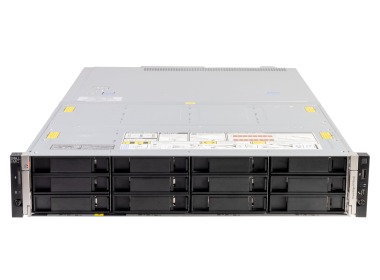
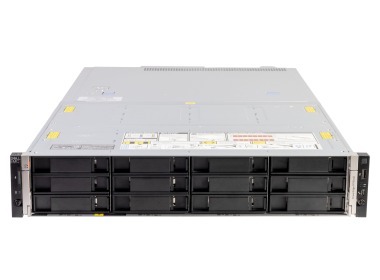
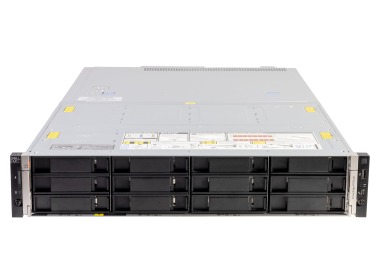
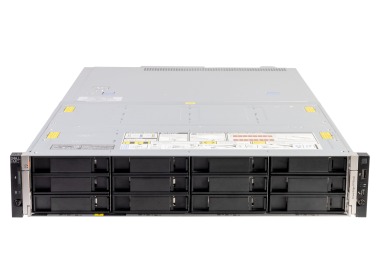
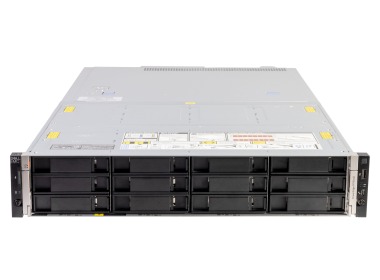
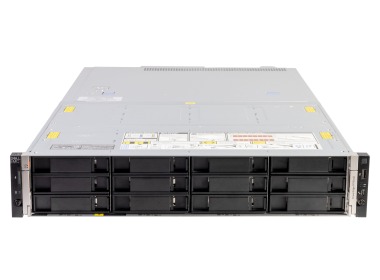
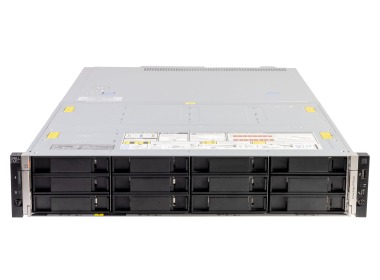
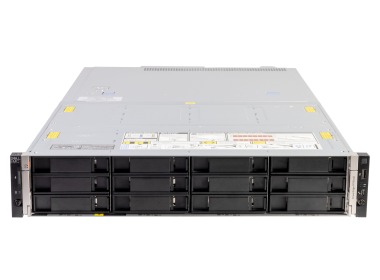
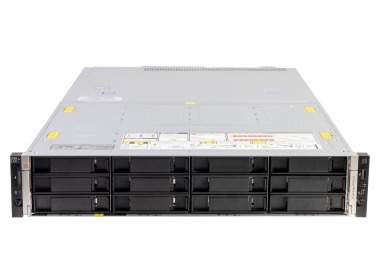
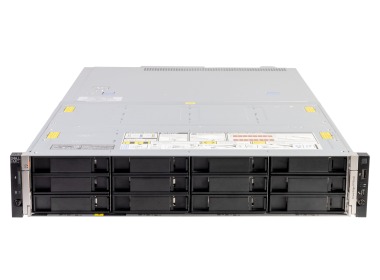
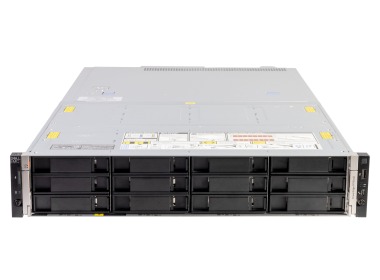
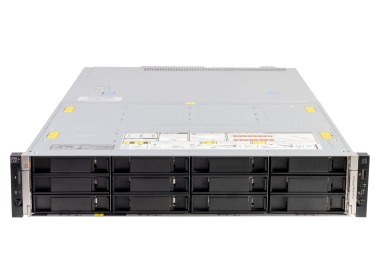
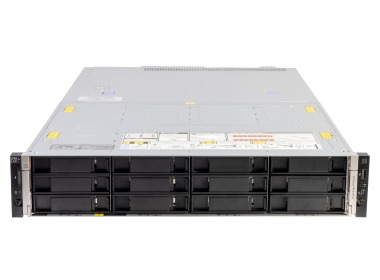
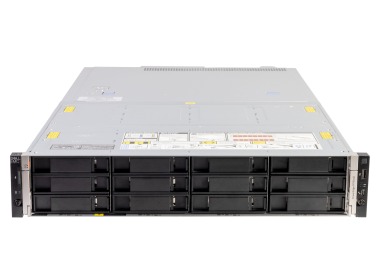
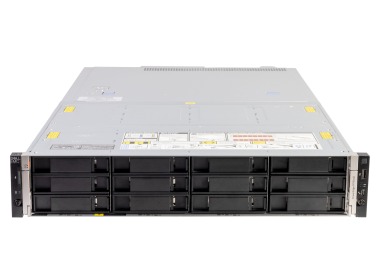
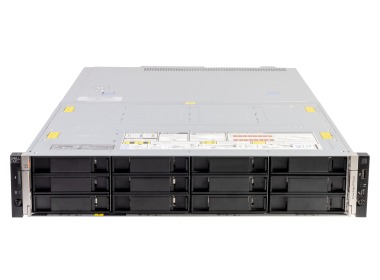
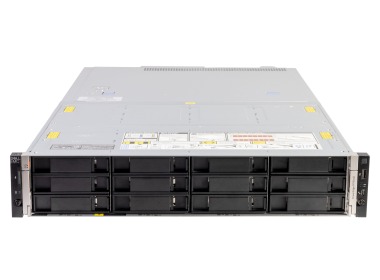
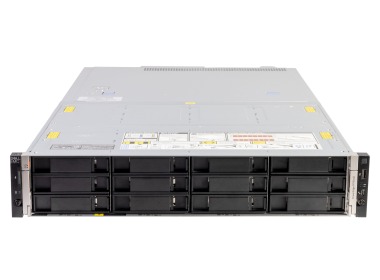
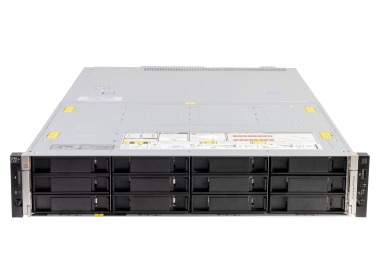
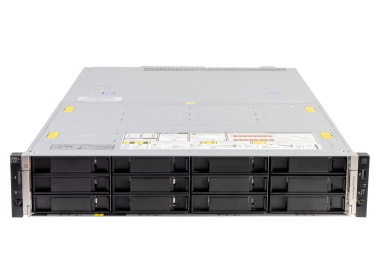
The Dell PowerEdge R740xd2 features 24 x 3.5" drive bays, with support for SATA, SAS, and 2.5" SSD drives via adapters. This makes it possible to build high-capacity storage in a single 2U rack unit - without adding external JBOD enclosures.
What is the Dell PowerEdge R740xd2 best suited for?
The R740xd2 is an excellent choice wherever high storage capacity is the priority: backup and archiving, CCTV footage storage, project file repositories, and IoT data. Configurations with Intel Xeon Gold processors also handle virtualisation, databases, and analytics workloads with ease.
What is the difference between a Silver and Gold processor configuration in the R740xd2?
Intel Xeon Silver (e.g. 4110, 4210R) is well suited to archiving, backup, and file storage under moderate CPU load. Xeon Gold (e.g. 5118, 6130) offers more cores and higher clock speeds - a difference you'll notice in virtualisation, backup deduplication, and multi-threaded data processing workloads.
What is included in a ready-to-use R740xd2 package from Hardware Direct?
Servers from Hardware Direct come fully configured: RAID controller H730P with Battery Backup Unit, iDRAC 9 Enterprise, rack rails, dual power supplies, and SSDs in RAID 1 as the system partition. Once racked, the server is ready to power on - no hunting for missing components.
What hardware upgrade options does the Dell PowerEdge R740xd2 support?
RAM and storage can be expanded without taking the server offline. The R740xd2 supports a wide range of compatible components, and available documentation helps you avoid compatibility issues when planning future upgrades.
How does iDRAC 9 work on the Dell R740xd2?
iDRAC 9 Enterprise is a built-in remote management module. It provides access to the BIOS, lets you monitor temperatures, voltages, and drive health, and allows you to remotely restart the server or restore the system - all without physical access to the hardware. Particularly useful when the server is located at a remote site or in an unmanned data centre.