 / EUR
/ EUR
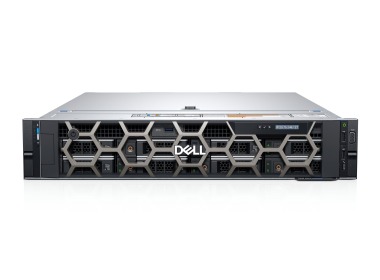
- Workstation Dell Precision R7910 8x2.5" with 2xE5-2667v4, 64GB RAM, H730P, 2x480GB SSD SATA 2.5", 1xQuadro M2000, 2xPSU, rails, iDRAC 8 Enterprise, Windows 11 Pro1x Dell Precision Dell Precision R7910 8x2.5" workstation platform 2x Intel Xeon E5-2667 v4 8-core 3.2GHz 25MB 135W SR2P5 processor 4x RAM 16GB 2133MHz DDR4 RD...Calculating delivery time...In stock 1Warranty 36 months€1,737.44 €1,412.55
- Workstation Dell Precision R7920 8x3.5" with 2x Gold 5120, 96GB RAM, H730P, 2x 480GB SSD SATA 2.5", 4x1GbE, 1xQuadro K620, 2xPSU, Rails, iDRAC 9 EnterpriseThis set contains: 1x Dell Precision Dell Precision R7920 8x3.5" workstation platform 2x Intel Xeon Gold 5120 14-core 2.2GHz 19.25MB 105W SR3GD processor 6x RA...Calculating delivery time...In stock 1Warranty 36 months€2,398.56 €1,950.05
- Workstation Dell Precision R7920 8x3.5" with 2x Silver 4208, 128GB RAM, H730P, 2x 480GB SSD SATA 2.5", 1x Quadro K620, 2xPSU, Rails, iDRAC 9 EnterpriseThis set contains: 1x Dell Precision Dell Precision R7920 8x3.5" workstation platform 2x Intel Xeon Silver 4208 8-core 2.1GHz 11MB 85W SRFBM processor 4x RAM 3...Calculating delivery time...In stock 1Warranty 36 months€2,584.65 €2,101.34


FAQ
What kind of workstation works best for Autodesk Maya?
It depends on what you do in Maya. For modeling and animation, single-core CPU speed and the amount of RAM matter most. For simulations, effects and rendering, a higher core count and a powerful graphics card are more important. A good workstation should balance these components according to your projects.
When building a PC for Maya, is it better to save on the CPU or the GPU?
Both parts matter, but at different stages of your work. The CPU handles viewport responsiveness, animation, rigging and simulations, while the graphics card handles scene display and GPU rendering, for example in Arnold. If you spend most of your time animating, go for a fast CPU. For GPU rendering, a more powerful graphics card will give you more.
How much RAM do you need for Autodesk Maya?
32 GB is usually enough for simpler scenes. For complex models, high-quality textures, simulations and large scenes, consider 64 GB or more. Too little RAM slows down your work and, in extreme cases, can cause the program to crash. Choose the exact amount based on the scale of your projects.
Does Autodesk Maya require a professional graphics card?
Maya works with both professional cards (e.g. the NVIDIA RTX professional series) and consumer cards. Professional cards offer certified drivers and stability for professional work, and usually more VRAM as well. Before buying, check the current list of certified configurations on the Autodesk website.
Is a Maya workstation also suitable for 3D rendering?
Yes, workstations in this category are designed for 3D work, including rendering. Render time depends on the number of CPU cores, the power of the graphics card and the amount of memory. If you render often or work on large projects, choose a configuration with a more powerful CPU or GPU, depending on the render engine you use.