 / EUR
/ EUR
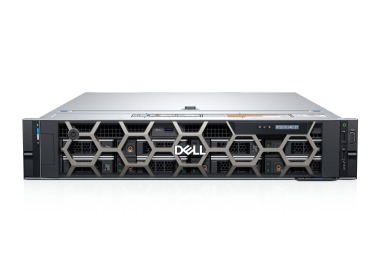
- Workstation Dell Precision R7920 8x3.5" with 2x Gold 5118, 32GB RAM, H730P, 2x 480GB SSD SATA 2.5", 4x1GbE, 1x Quadro P400, 2xPSU, Rails, iDRAC 9 EnterpriseThis set contains: 1x Dell Precision Dell Precision R7920 8x3.5" workstation platform 2x Intel Xeon Gold 5118 12-core 2.3GHz 16.5MB 105W SR3GF processor 2x RAM...Calculating delivery time...In stock 1Warranty 36 months€1,844.98 €1,499.98
- Workstation Dell Precision T7810 2x3.5" with 2x E5-2690v4, 64GB RAM, 1x 960GB SSD SATA 2.5", 1x Quadro M4000, 1x PSU1x Dell Precision T7810 2x3.5" workstation platform 2x Intel Xeon E5-2690 v4 14-core 2.6GHz 35MB 135W SR2N2 processor 4x RAM 16GB 2133MHz DDR4 RDIMM 1x Hard dr...Calculating delivery time...In stock 1Warranty 36 months€1,372.34 €1,115.72
- Workstation Dell Precision T7920 with 2x Gold 6154, 16GB RAM, 1x 960GB SSD SATA 2.5", 1x PSU,This set contains: 1x Dell Precision T7920 4x3.5" workstation platform 2x Intel Xeon Gold 6154 18-core 3GHz 24.75MB 200W SR3J5 processor 2x RAM 8GB 2666MHz DDR...Calculating delivery time...In stock 1Warranty 36 months€1,721.24 €1,399.38
- Workstation Dell Precision T5820 4x3.5" with 1x W-2123, 32GB RAM, 1x 960GB SSD SATA 2.5", 1x PSU,This set contains: 1x Dell Precision T5820 4x3.5" workstation platform 1x Intel Xeon W-2123 4-core 3.6GHz 8.25MB 120W SR3LJ processor 2x RAM 16GB 2933MHz RDIMM...Calculating delivery time...In stock 1Warranty 36 months€2,157.37 €1,753.96


FAQ
What kind of workstation works well for Visual Studio?
For everyday work in Visual Studio, what matters most is a powerful multi-core processor, plenty of RAM and a fast NVMe SSD. Together, they shorten build times, the loading of large solutions and code indexing. Choose a configuration that matches the size of the projects you work with day to day.
How much RAM do you need for Visual Studio?
For smaller projects, 16 GB of RAM is usually enough. If you work with large solutions, keep several projects open, or run virtual machines, containers and emulators at the same time, 32 GB or more is a better choice. Pick a workstation where the memory can be upgraded later.
Do you need a graphics card for Visual Studio?
For programming alone, integrated graphics or an entry-level professional card is enough, as long as you work on standard desktop, web or backend projects. A dedicated GPU is needed if you develop games, work with 3D graphics, use GPU computing or connect several high-resolution monitors.
Is a refurbished (ex-lease) workstation suitable for programming?
Yes. A well-chosen ex-lease machine often offers professional-grade performance at a lower price than a new one. These workstations are designed for continuous operation, and they can usually be upgraded with extra RAM or drives. Before buying, check the age of the components, the condition of the hardware and the warranty terms.
Workstation or standard PC for Visual Studio: which should you choose?
A workstation usually has more cores, supports more memory (often with ECC) and is built for long, intensive workloads. With large projects, frequent builds or virtualization, this makes a real difference. For smaller projects, a powerful office PC is perfectly adequate.