 / EUR
/ EUR
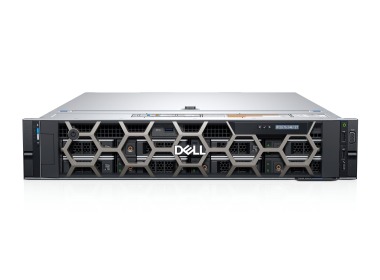
- Workstation Dell Precision R7920 8x3.5" with 2x Gold 6132, 96GB RAM, H730P, 2x 480GB SSD SATA 2.5", 1x Quadro RTX 6000, 2xPSU, Rails, iDRAC 9 EnterpriseThis set contains: 1x Dell Precision Dell Precision R7920 8x3.5" workstation platform 2x Processor Intel Xeon Gold 6132 14-core 2.6GHz 19.25MB 140W SR3J3 6x RA...Calculating delivery time...In stock 1Warranty 36 months€3,389.44 €2,755.64
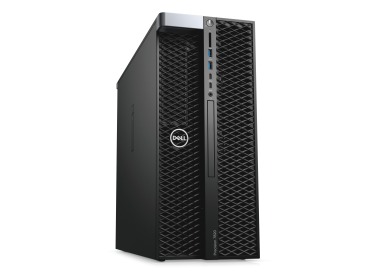
- Workstation Dell Precision T5820 4x3.5" with 1x W-2255, 64GB RAM, 1x 960GB SSD SATA 2.5", 1x PSU,This set contains: 1x Dell Precision T5820 4x3.5" workstation platform 1x Processor Intel Xeon W-2255 10-core 3.7GHz 19.25MB 165W SRGV8 4x RAM 16GB 2933MHz RDI...Calculating delivery time...In stock 2Warranty 36 months€2,308.55 €1,876.87
- Workstation Dell Precision T7820 4x3.5" with 2x Gold 5122, 32GB RAM, 1x 960GB SSD SATA 2.5", 1x Quadro P6000, 1x PSUThis set contains: 1x Dell Precision T7820 4x3.5" workstation platform 2x Intel Xeon Gold 5122 4-core 3.6GHz 16.5MB 105W SR3AT processor 2x RAM 16GB DDR4 2666M...Calculating delivery time...In stock 1Warranty 36 months€2,787.72 €2,266.44
- Workstation Dell Precision T7820 4x3.5" with 2x Gold 6150, 64GB RAM, 1x 480GB SSD SATA 2.5", 1x Radeon Pro WX5100, 1x PSUThis set contains: 1x Dell Precision T7820 4x3.5" workstation platform 2x Intel Xeon Gold 6150 18-core 2.7GHz 24.75MB 165W SR37K processor 4x RAM 16GB DDR4 266...Calculating delivery time...In stock 1Warranty 36 months€2,164.34 €1,759.63


FAQ
What kind of workstation is best for everyday work in Photoshop?
It depends on the type of projects you work on. For photo retouching and 2D graphics, a high-clock-speed processor, a fast SSD and enough RAM are usually sufficient. If you work with large RAW files, multi-layer PSDs, or use Photoshop alongside other Adobe applications, you will need a more powerful configuration. On our site you'll find workstations with different performance levels that can be tailored to your tasks.
How much RAM do I need for graphic editing in Photoshop?
For basic photo editing, 16 GB is usually enough. However, if you work with large files, projects with many layers, or have several applications open at once, 32 GB or more will make things smoother. When there isn't enough RAM, the program starts using the drive as temporary memory, which noticeably slows down your work. It's a good idea to leave some headroom for the future, especially in a computer used for professional work.
Is it worth investing in a powerful GPU for a Photoshop workstation?
Photoshop uses the GPU to accelerate some features, such as filters, AI tools, and smooth zooming and canvas rotation. It doesn't have to be the most powerful model, though, as most operations still rely on the processor. A higher-end card is useful if you also work with video, 3D rendering, or other GPU-accelerated applications.
What matters more in Photoshop: the processor or the SSD?
Both matter, but they work in different ways. The processor determines the speed of most operations, and many Photoshop tools rely mainly on high single-core clock speeds. An NVMe SSD shortens the time it takes to open and save large files and speeds up work with the scratch disk. In a workstation, it's best to take care of both.
Can the same workstation also be used for video editing?
Often it can, but the requirements for video editing, for example in Premiere Pro or After Effects, are usually higher than for Photoshop alone. You'll need more processor cores, more RAM and a more powerful graphics card, especially for 4K footage. If you plan to combine both types of work, choose a configuration based on the video requirements.