 / EUR
/ EUR
Server Configurators


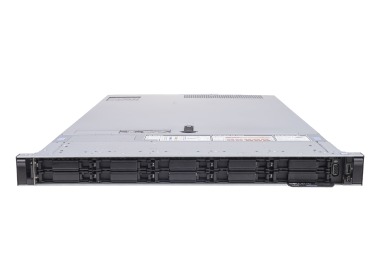
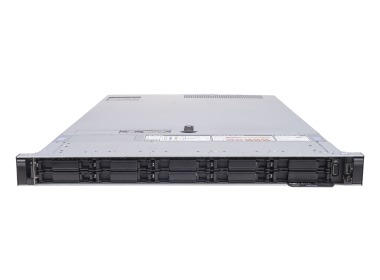
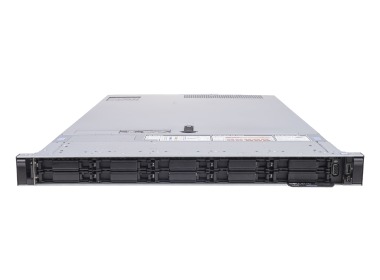
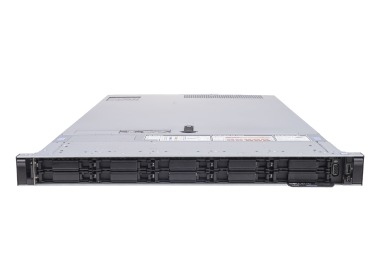
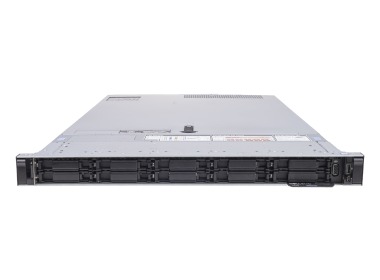
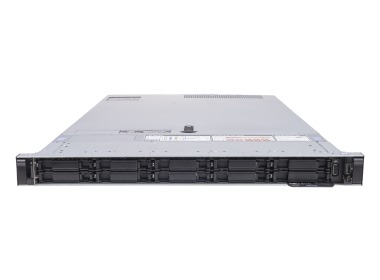
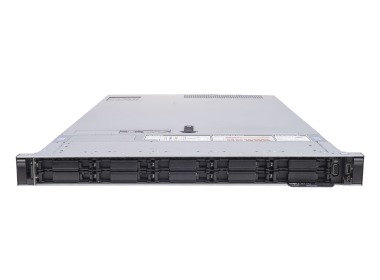
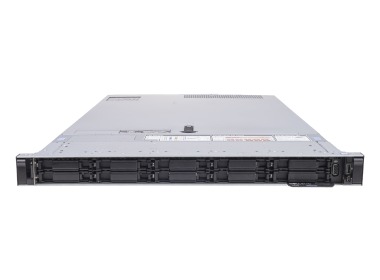
- Server Dell PowerEdge R640 10x2.5" with 2x Gold 6134, 128GB RAM, H730p, 2x 480GB SSD SATA 2.5", 2x10GbE SFP+ + 2x1GbE RJ45, 2x PSU 750W, rails, iDRAC9 EnterpriseThis set contains: 1x Dell PowerEdge R640 10x2.5" server platform 2x Intel Xeon Gold 6134 8-core 3.2GHz 24.75MB 130W SR3AR processor 8x RAM 16GB 2666MHz DDR4 R...Calculating delivery time...In stock 50Warranty 36 months€2,054.32 €1,670.18
- Server Dell PowerEdge R640 10x2.5" with 2x Gold 6242R, 512GB RAM, H740p, 2x10/25GbE SFP28, 2x PSU 1100W, rails, bezel, iDRAC9 EnterpriseThis set contains: 1x Dell PowerEdge R640 10x2.5" server platform 2x Processor Intel Xeon Gold 6242R 20-core 3.1GHz 35.75MB 205W SRGZJ 16x RAM 32GB DDR4 RDIMM ...Calculating delivery time...In stock 3Warranty 36 months€11,086.88 €9,013.72
- Server Dell PowerEdge R640 10x2.5" with 2x Gold 6248, 1024GB RAM, BOSS-S1 with 2x 480GB SSD SATA RI M.2, 4x10GbE BASE-T, 2x10GbE SFP+, 2x25GbE SFP28, 2x PSU 750W, rails, iDRAC9 EnterpriseThis set contains: 1x Dell PowerEdge R640 10x2.5" server platform 2x Intel Xeon Gold 6248 20-core 2.5GHz 27.5MB 150W SRF90 Processor 16x RAM 64GB DDR4 RDIMM 29...Calculating delivery time...In stock 3Warranty 36 monthsSpecial offer available until further notice.Special Price €13,338.45 €10,844.27 Regular Price €13,461.72
- Server Dell PowerEdge R640 10x2.5" with 2x Gold 6230R, 512GB RAM, H740p, 4x10GbE SFP+, 2x PSU 750W, rails, iDRAC9 DataCenterThis set contains: 1x Dell PowerEdge R640 10x2.5" server platform 2x Processor Intel Xeon Gold 6230R 26-core 2.1GHz 35.75MB 150W SRGZA 8x RAM 64GB 3200MHz DDR4...Calculating delivery time...In stock 2Warranty 36 months€11,196.20 €9,102.60
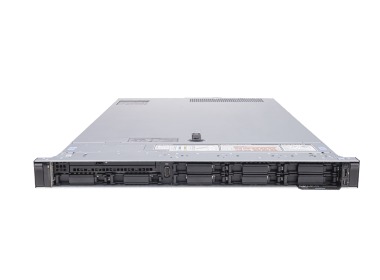
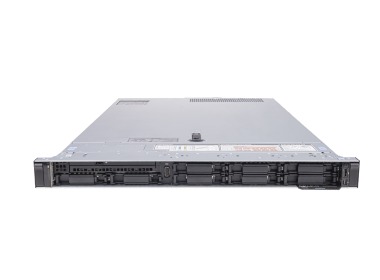
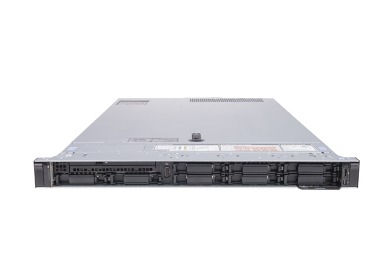
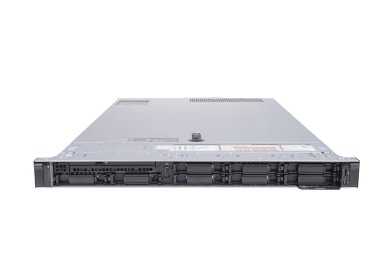
- Server Dell PowerEdge R640 8x2.5" with 2x Silver 4108, 64GB RAM, H730p, 2x 480GB SSD SATA 2.5", 4x1GbE, 2x PSU 750W, rails, iDRAC9 EnterpriseThis set contains: 1x Dell PowerEdge R640 8x2.5" server platform 2x Intel Xeon Silver 4108 8-core 1.8GHz 11MB 85W SR3GJ processor 4x RAM 16GB 2400MHz DDR4 RDIM...Calculating delivery time...In stock 7Warranty 36 months€1,260.32 €1,024.65
- Server Dell PowerEdge R640 10x2.5" with 2x Gold 5120, 192GB RAM, H330, BOSS-S1 with 2x Dell 240GB SSD SATA RI M.2, 3x 960GB SSD SATA 2.5", 2x10GbE SFP+ + 2x1GbE RJ45, 2x PSU 1100W, rails, bezel, iDRAC9 EnterpriseThis set contains: 1x Dell PowerEdge R640 10x2.5" server platform 2x Intel Xeon Gold 5120 14-core 2.2GHz 19.25MB 105W SR3GD processor 12x RAM 16GB 2400MHz DDR4...Calculating delivery time...In stock 10Warranty 36 months€2,593.73 €2,108.72
- Server Dell PowerEdge R640 8x2.5" with 2x Gold 6128, 64GB RAM, H730p, 2x 480GB SSD SATA 2.5", 2x10GbE SFP+ + 2x1GbE RJ45, 2x PSU 1100W, rails, iDRAC9 EnterpriseThis set contains: 1x Dell PowerEdge R640 8x2.5" server platform 2x Intel Xeon Gold 6128 6-core 3.4GHz 19.25MB 115W SR3J4 processor 4x RAM 16GB 2666MHz DDR4 RD...Calculating delivery time...In stock 6Warranty 36 months€1,518.88 €1,234.86
- Server Dell PowerEdge R640 8x2.5" with 2x Gold 5120, 192GB RAM, H330, BOSS-S1 with 2x Dell 240GB SSD SATA RI M.2, 2x10GbE SFP+ + 2x1GbE RJ45, 2x PSU 1100W, rails, iDRAC9 EnterpriseThis set contains: 1x Dell PowerEdge R640 8x2.5" server platform 2x Intel Xeon Gold 5120 14-core 2.2GHz 19.25MB 105W SR3GD processor 12x RAM 16GB 2666MHz DDR4 ...Calculating delivery time...In stock 2Warranty 36 months€2,615.10 €2,126.10
- Server Dell PowerEdge R640 10x2.5" with 1x Platinum 8170, 96GB RAM, H730p, 2x 960GB SSD SATA 2.5", 4x1GbE, 2x PSU 1100W, rails, iDRAC9 EnterpriseThis set contains: 1x Dell PowerEdge R640 10x2.5" server platform 1x Intel Xeon Platinum 8170 26-core 2.1GHz 35.75MB 165W SR37H processor 6x RAM 16GB 2400MHz D...Calculating delivery time...In stock 2Warranty 36 months€2,026.36 €1,647.45
- Server Dell PowerEdge R640 10x2.5" with 1x Platinum 8160, 64GB RAM, H730p, 2x 960GB SSD SATA 2.5", 4x1GbE, 2x PSU 495W, rails, iDRAC9 EnterpriseThis set contains: 1x Dell PowerEdge R640 10x2.5" server platform 1x Intel Xeon Platinum 8160 24-core 2.1GHz 33MB 150W SR3B0 processor 4x RAM 16GB 2133MHz DDR4...Calculating delivery time...In stock 8Warranty 36 months€1,274.42 €1,036.11
- Server Dell PowerEdge R640 10x2.5" (4xNVMe) with 2x Gold 6242, 192GB RAM, HBA330, BOSS-S1 with 2x 240GB SSD SATA RI M.2, 4x 1.92TB SSD NVMe U.2 2.5", 4x1GbE, 2x PSU 1100W, rails, iDRAC9 EnterpriseThis set contains: 1x Dell PowerEdge R640 10x2.5" server platform 2x Intel Xeon Gold 6242 16-core 2.8GHz 22MB 150W SRF8Y 12x RAM 16GB 2933MHz RDIMM DDR4 2x Del...Calculating delivery time...In stock 9Warranty 36 months€5,563.77 €4,523.39
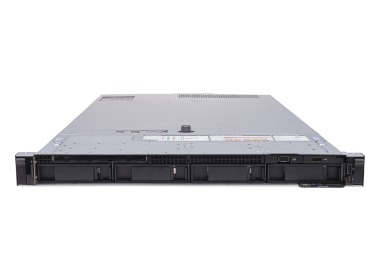
- Server Dell PowerEdge R640 4x3.5" with 1x Gold 6138, 64GB RAM, H730, 4x1GbE, 2x PSU 750W, iDRAC9 EnterpriseThis set contains: 1x Dell PowerEdge R640 4x3.5" server platform 1x Intel Xeon Gold 6138 20-core 2GHz 27.5MB 125W SR3B5 processor 4x RAM 16GB 2666MHz DDR4 RDIM...Calculating delivery time...In stock 8Warranty 36 months€915.62 €744.41
- Server Dell PowerEdge R640 4x3.5" with 2x Silver 4110, 128GB RAM, H730p, 2x 480GB SSD SATA 2.5", 2x 8TB SAS 12G 3.5", 4x1GbE, 2x PSU 1100W, rails, iDRAC9 EnterpriseThis set contains: 1x Dell PowerEdge R640 4x3.5" server platform 2x Processor Intel Xeon Silver 4110 8-core 2.1GHz 11MB 85W SR3GH 8x RAM 16GB 2400MHz DDR4 RDIM...Calculating delivery time...In stock 7Warranty 36 months€2,064.21 €1,678.22
- Server Dell PowerEdge R640 10x2.5" (8xNVMe) with 2x Gold 5120, 64GB RAM, H730p, 2x 960GB SSD SATA 2.5", 2x Dell 280GB SSD NVMe U.2 2.5", 2x10GbE SFP+ + 2x1GbE RJ45, 2x PSU 1100W, rails, iDRAC9 EnterpriseThis set contains: 1x Dell PowerEdge R640 10x2.5" server platform 2x Intel Xeon Gold 5120 14-core 2.2GHz 19.25MB 105W SR3GD processor 4x RAM 16GB 2400MHz DDR4 ...Calculating delivery time...In stock 15Warranty 36 months€2,023.15 €1,644.84
- Server Dell PowerEdge R640 8x2.5" with 2x Gold 5120, 32GB RAM, H730, 2x 480GB SSD SATA 2.5", 2x10GbE SFP+ + 2x1GbE RJ45, 2x PSU 750W, rails, iDRAC9 EnterpriseThis set contains: 1x Dell PowerEdge R640 8x2.5" server platform 2x Intel Xeon Gold 5120 14-core 2.2GHz 19.25MB 105W SR3GD processor 2x RAM 16GB 2400MHz DDR4 R...Calculating delivery time...In stock 10Warranty 36 months€955.98 €777.22
- Server Dell PowerEdge R640 10x2.5" with 2x Gold 6132, 32GB RAM, H330, 2x 480GB SSD SATA 2.5", 2x10GbE SFP+ + 2x1GbE RJ45, 2x PSU 1100W, rails, iDRAC9 EnterpriseThis set contains: 1x Dell PowerEdge R640 10x2.5" server platform 2x Processor Intel Xeon Gold 6132 14-core 2.6GHz 19.25MB 140W SR3J3 2x RAM 16GB 2400MHz DDR4 ...Calculating delivery time...In stock 80Warranty 36 months€924.36 €751.51
- Server Dell PowerEdge R640 4x3.5" with 1x Silver 4114, 64GB RAM, H330, 4x1GbE, 2x PSU 750W, rails, iDRAC9 EnterpriseThis set contains: 1x Dell PowerEdge R640 4x3.5" server platform 1x Intel Xeon Silver 4114 10-core 2.2GHz 13.75MB 85W SR3GK processor 4x RAM 16GB 2400MHz DDR4 ...Calculating delivery time...In stock 4Warranty 36 monthsSpecial offer available until further notice.Special Price €717.91 €583.67 Regular Price €735.37
- Server Dell PowerEdge R640 8x2.5" with 2x Silver 4108, 64GB RAM, H730p, 4x 480GB SSD SATA 2.5", 4x1GbE, 2x PSU 750W, rails, iDRAC9 EnterpriseThis set contains: 1x Dell PowerEdge R640 8x2.5" server platform 2x Intel Xeon Silver 4108 8-core 1.8GHz 11MB 85W SR3GJ processor 4x RAM 16GB 2400MHz DDR4 RDIM...Calculating delivery time...In stock 3Warranty 36 months€1,552.00 €1,261.79
- Server Dell PowerEdge R640 4x3.5" with 2x Gold 5120, 64GB RAM, H730p, 4x 18TB 7.2K SATA 6G 3.5", 4x1GbE, 2x PSU 750W, rails, iDRAC9 EnterpriseThis set contains: 1x Dell PowerEdge R640 4x3.5" server platform 2x Intel Xeon Gold 5120 14-core 2.2GHz 19.25MB 105W SR3GD processor 4x RAM 16GB 2933MHz RDIMM ...Calculating delivery time...In stock 1Warranty 36 months€3,197.43 €2,599.54
- Server Dell PowerEdge R640 4x3.5" with 2x Gold 5120, 64GB RAM, H730p, 2x 18TB 7.2K SATA 6G 3.5", 2x 600GB SAS 2.5", 4x1GbE, 2x PSU 1100W, rails, iDRAC9 EnterpriseThis set contains: 1x Dell PowerEdge R640 4x3.5" server platform 2x Intel Xeon Gold 5120 14-core 2.2GHz 19.25MB 105W SR3GD processor 4x RAM 16GB 2933MHz RDIMM ...Calculating delivery time...In stock 8Warranty 36 months€2,408.00 €1,957.72
- Server Dell PowerEdge R640 10x2.5" + 2x2.5" NVMe with 2x Gold 6134, 128GB RAM, H740p, 2x 800GB SSD SAS 12G RI 2.5", 4x1GbE, 2x PSU 1100W, rails, iDRAC9 EnterpriseThis set contains: 1x Dell PowerEdge R640 10x2.5" High Profile server platform 2x Intel Xeon Gold 6134 8-core 3.2GHz 24.75MB 130W SR3AR processor 4x RAM 32GB 2...Calculating delivery time...In stock 9Warranty 36 months€2,464.86 €2,003.95
- Server Dell PowerEdge R640 10x2.5" with 2x Silver 4114, 64GB RAM, H730p, 2x 480GB SSD SATA 2.5", 4x1GbE, 2x PSU 1100W, rails, iDRAC9 EnterpriseThis set contains: 1x Dell PowerEdge R640 10x2.5" server platform 2x Intel Xeon Silver 4114 10-core 2.2GHz 13.75MB 85W SR3GK processor 4x RAM 16GB 2400MHz DDR4...Calculating delivery time...In stock 12Warranty 36 monthsSpecial offer available until further notice.Special Price €1,144.16 €930.21 Regular Price €1,179.05
- Server Dell PowerEdge R640 8x2.5" with 2x Gold 6130, 256GB RAM, H730p, 2x10GbE SFP+ + 2x1GbE RJ45, 4x25GbE SFP28, 2x PSU 1600W, rails, iDRAC9 EnterpriseThis set contains: 1x Dell PowerEdge R640 8x2.5" server platform 2x Intel Xeon Gold 6130 16-core 2.1GHz 22MB 125W SR3B9 processor 8x RAM 32GB 2666MHz DDR4 RDIM...Calculating delivery time...In stock 8Warranty 36 months€3,604.37 €2,930.38
- Server Dell PowerEdge R640 4x3.5" with 2x Gold 5218, 768GB RAM, H730p, 4x 6TB SAS 12G 3.5", 4x1GbE, 2x10GbE SFP+, 2x PSU 1100W, rails, bezel, iDRAC9 EnterpriseThis set contains: 1x Dell PowerEdge R640 4x3.5" server platform 2x Intel Xeon Gold 5218 16-core 2.3GHz 22MB 125W SRF8T processor 12x RAM DDR4 64GB 4Rx4 RDIMM ...Calculating delivery time...In stock 1Warranty 36 months€6,459.30 €5,251.46
- Server Dell PowerEdge R640 8x2.5" with 1x Gold 5220R, 128GB RAM, H730p, BOSS-S1 with 2x Dell 240GB SSD SATA RI M.2, 2x10GbE SFP+ + 2x1GbE RJ45, 2x16Gb FC, 2x PSU 1600W, rails, bezel, iDRAC9 EnterpriseThis set contains: 1x Dell PowerEdge R640 8x2.5" server platform 1x Processor Intel Xeon Gold 5220R 24-core 2.2GHz 35.75MB 150W SRGZP 4x RAM 32GB 2666MHz DDR4 ...Calculating delivery time...In stock 1Warranty 36 months€2,127.36 €1,729.56
- Server Dell PowerEdge R640 8x2.5" with 1x Silver 4215, 128GB RAM, H730p, 2x 480GB SSD SATA 2.5", 4x 1.2TB SAS 2.5", 2x10GbE SFP+ + 2x1GbE RJ45, 2x PSU 1600W, rails, iDRAC9 EnterpriseThis set contains: 1x Dell PowerEdge R640 8x2.5" server platform 1x Intel Xeon Silver 4215 8-core 2.5GHz 11MB 85W SRFBA processor 4x RAM 32GB DDR4 RDIMM 2400MH...Calculating delivery time...In stock 4Warranty 36 months€1,958.02 €1,591.89
- Server Dell PowerEdge R640 8x2.5" with 2x Silver 4116, 64GB RAM, H730p, 2x 480GB SSD SATA 2.5", 4x1GbE, 2x PSU 750W, rails, iDRAC9 EnterpriseThis set contains: 1x Dell PowerEdge R640 8x2.5" server platform 2x Intel Xeon Silver 4116 12-core 2.1GHz 16.5MB 85W SR3HQ processor 4x RAM 16GB 2400MHz DDR4 R...Calculating delivery time...In stock 1Warranty 36 months€1,294.86 €1,052.73
- Server Dell PowerEdge R640 8x2.5" with 2x Silver 4116, 128GB RAM, H730p, 2x 480GB SSD SAS 12G MU 2.5", 4x1GbE, 2x PSU 1100W, rails, iDRAC9 EnterpriseThis set contains: 1x Dell PowerEdge R640 8x2.5" server platform 2x Intel Xeon Silver 4116 12-core 2.1GHz 16.5MB 85W SR3HQ processor 8x RAM 16GB 2400MHz DDR4 R...Calculating delivery time...In stock 1Warranty 36 months€1,813.56 €1,474.44
- Server Dell PowerEdge R640 10x2.5" with 2x Gold 6154, 32GB RAM, H730p, 2x 1.8TB SAS 2.5", 4x1GbE, 2x PSU 1100W, rails, iDRAC9 EnterpriseThis set contains: 1x Dell PowerEdge R640 10x2.5" server platform 2x Intel Xeon Gold 6154 18-core 3GHz 24.75MB 200W SR3J5 processor 2x RAM 16GB 2666MHz DDR4 RD...Calculating delivery time...In stock 1Warranty 36 months€1,032.51 €839.44
- Server Dell PowerEdge R640 8x2.5" with 2x Gold 6144, 128GB RAM, H730p, 4x 800GB SSD SAS 12G RI 2.5", 2x 600GB SAS 2.5", 2x10GbE SFP+ + 2x1GbE RJ45, 2x PSU 1600W, rails, iDRAC9 EnterpriseThis set contains: 1x Dell PowerEdge R640 8x2.5" server platform 2x Intel Xeon Gold 6144 8-core 3.5GHz 24.75MB 150W SR3TR processor 4x RAM 32GB 2666MHz DDR4 RD...Calculating delivery time...In stock 8Warranty 36 months€3,172.19 €2,579.02
- Server Dell PowerEdge R640 8x2.5" with 1x Gold 6128, 32GB RAM, H730p, 2x 300GB SAS 2.5", 4x1GbE, 2x PSU 750W, rails, iDRAC9 EnterpriseThis set contains: 1x Dell PowerEdge R640 8x2.5" server platform 1x Intel Xeon Gold 6128 6-core 3.4GHz 19.25MB 115W SR3J4 processor 2x RAM 16GB 2666MHz DDR4 RD...Calculating delivery time...In stock 8Warranty 36 months€1,016.93 €826.77
- Server Dell PowerEdge R640 8x2.5" with 1x Silver 4110, 64GB RAM, H730p, 2x 480GB SSD SATA 2.5", 4x1GbE, 2x PSU 750W, rails, iDRAC9 EnterpriseThis set contains: 1x Dell PowerEdge R640 8x2.5" server platform 1x Processor Intel Xeon Silver 4110 8-core 2.1GHz 11MB 85W SR3GH 4x RAM 16GB 2400MHz DDR4 RDIM...Calculating delivery time...In stock 16Warranty 36 months€1,194.40 €971.06
- Server Dell PowerEdge R640 8x2.5" with 2x Gold 6128, 256GB RAM, H730p, 8x 800GB SSD SAS 12G RI 2.5", 2x10GbE SFP+ + 2x1GbE RJ45, 2x PSU 1600W, rails, iDRAC9 EnterpriseThis set contains: 1x Dell PowerEdge R640 8x2.5" server platform 2x Intel Xeon Gold 6128 6-core 3.4GHz 19.25MB 115W SR3J4 processor 8x RAM 32GB 2666MHz DDR4 RD...Calculating delivery time...In stock 8Warranty 36 months€5,103.71 €4,149.36
- Server Dell PowerEdge R640 10x2.5" (4xNVMe) with 2x Gold 6242, 128GB RAM, H730p, BOSS-S1 with 2x Dell 480GB SSD SATA RI M.2, 4x Dell 960GB SSD NVMe U.2 2.5", 4x1GbE, 2x PSU 1100W, rails, iDRAC9 EnterpriseThis set contains: 1x Dell PowerEdge R640 10x2.5" server platform 2x Intel Xeon Gold 6242 16-core 2.8GHz 22MB 150W SRF8Y 8x RAM 16GB 2933MHz RDIMM DDR4 2x Hard...Calculating delivery time...In stock 9Warranty 36 months€5,066.73 €4,119.29
- Server Dell PowerEdge R640 4x3.5" + 2x2.5" NVMe with 1x Gold 6130, 32GB RAM, H730p, 2x 960GB SSD SATA 2.5", 4x1GbE, 2x PSU 750W, rails, iDRAC9 EnterpriseThis set contains: 1x Dell PowerEdge R640 4x3.5" server platform 1x Intel Xeon Gold 6130 16-core 2.1GHz 22MB 125W SR3B9 processor 2x RAM 16GB 2666MHz DDR4 RDIM...Calculating delivery time...In stock 8Warranty 36 months€1,733.56 €1,409.40
- Server Dell PowerEdge R640 10x2.5" with 2x Bronze 3104, 64GB RAM, H730p, 2x 960GB SSD SATA 2.5", 4x1GbE, 2x PSU 1100W, rails, iDRAC9 EnterpriseThis set contains: 1x Dell PowerEdge R640 10x2.5" server platform 2x Processor Intel Xeon Bronze 3104 6-core 1.7GHz 8.25MB 85W SR3GM 4x RAM 16GB 2133MHz DDR4 R...Calculating delivery time...In stock 6Warranty 36 months€1,206.96 €981.27
- Server Dell PowerEdge R640 10x2.5" with 2x Bronze 3104, 128GB RAM, H730p, 2x 480GB SSD SATA 2.5", 4x1GbE, 2x PSU 1100W, rails, iDRAC9 EnterpriseThis set contains: 1x Dell PowerEdge R640 10x2.5" server platform 2x Processor Intel Xeon Bronze 3104 6-core 1.7GHz 8.25MB 85W SR3GM 8x RAM 16GB 2133MHz DDR4 R...Calculating delivery time...In stock 6Warranty 36 months€1,318.61 €1,072.04
- Server Dell PowerEdge R640 10x2.5" with 2x Bronze 3104, 128GB RAM, H730p, 2x 960GB SSD SATA 2.5", 4x1GbE, 1x PSU 1100W, rails, iDRAC9 EnterpriseThis set contains: 1x Dell PowerEdge R640 10x2.5" server platform 2x Processor Intel Xeon Bronze 3104 6-core 1.7GHz 8.25MB 85W SR3GM 8x RAM 16GB 2133MHz DDR4 R...Calculating delivery time...In stock 6Warranty 36 months€1,482.59 €1,205.36
- Server Dell PowerEdge R640 10x2.5" with 2x Bronze 3104, 64GB RAM, H730p, 2x 480GB SSD SATA 2.5", 4x1GbE, 2x PSU 1100W, rails, iDRAC9 EnterpriseThis set contains: 1x Dell PowerEdge R640 10x2.5" server platform 2x Processor Intel Xeon Bronze 3104 6-core 1.7GHz 8.25MB 85W SR3GM 4x RAM 16GB 2133MHz DDR4 R...Calculating delivery time...In stock 6Warranty 36 months€1,020.88 €829.98
- Server Dell PowerEdge R640 10x2.5" with 2x Silver 4208, 32GB RAM, H730p, 2x 480GB SSD SATA 2.5", 4x1GbE, 2x PSU 1100W, rails, iDRAC9 EnterpriseThis set contains: 1x Dell PowerEdge R640 10x2.5" server platform 2x Intel Xeon Silver 4208 8-core 2.1GHz 11MB 85W SRFBM processor 2x RAM 16GB 2400MHz DDR4 RDI...Calculating delivery time...In stock 11Warranty 36 months€976.68 €794.05
- Server Dell PowerEdge R640 10x2.5" with 2x Silver 4208, 128GB RAM, H730p, 2x 480GB SSD SATA 2.5", 4x1GbE, 2x PSU 1100W, rails, iDRAC9 EnterpriseThis set contains: 1x Dell PowerEdge R640 10x2.5" server platform 2x Intel Xeon Silver 4208 8-core 2.1GHz 11MB 85W SRFBM processor 8x RAM 16GB 2400MHz DDR4 RDI...Calculating delivery time...In stock 10Warranty 36 months€1,604.71 €1,304.64
- Server Dell PowerEdge R640 10x2.5" with 2x Silver 4208, 128GB RAM, H730p, 2x 960GB SSD SATA 2.5", 4x1GbE, 2x PSU 1100W, rails, iDRAC9 EnterpriseThis set contains: 1x Dell PowerEdge R640 10x2.5" server platform 2x Intel Xeon Silver 4208 8-core 2.1GHz 11MB 85W SRFBM processor 8x RAM 16GB 2400MHz DDR4 RDI...Calculating delivery time...In stock 10Warranty 36 months€1,790.78 €1,455.92
- Server Dell PowerEdge R640 10x2.5" with 2x Silver 4208, 32GB RAM, H730p, 2x 960GB SSD SATA 2.5", 4x1GbE, 2x PSU 750W, rails, iDRAC9 EnterpriseThis set contains: 1x Dell PowerEdge R640 10x2.5" server platform 2x Intel Xeon Silver 4208 8-core 2.1GHz 11MB 85W SRFBM processor 2x RAM 16GB 2400MHz DDR4 RDI...Calculating delivery time...In stock 11Warranty 36 months€1,155.79 €939.67
- Server Dell PowerEdge R640 10x2.5" with 2x Silver 4214R, 64GB RAM, H730p, 2x 480GB SSD SATA 2.5", 4x1GbE, 2x PSU 750W, rails, iDRAC9 EnterpriseThis set contains: 1x Dell PowerEdge R640 10x2.5" server platform 2x Intel Xeon Silver 4214R 12-core 2.4GHz 16.5MB 100W SRG1W processor 4x RAM 16GB 2400MHz DDR...Calculating delivery time...In stock 13Warranty 36 months€1,306.97 €1,062.58
- Server Dell PowerEdge R640 10x2.5" with 2x Silver 4214R, 128GB RAM, H730p, 2x 480GB SSD SATA 2.5", 4x1GbE, 2x PSU 1100W, rails, iDRAC9 EnterpriseThis set contains: 1x Dell PowerEdge R640 10x2.5" server platform 2x Intel Xeon Silver 4214R 12-core 2.4GHz 16.5MB 100W SRG1W processor 4x RAM 32GB DDR4 RDIMM ...Calculating delivery time...In stock 13Warranty 36 months€1,686.12 €1,370.83
- Server Dell PowerEdge R640 10x2.5" with 2x Silver 4214R, 32GB RAM, H730p, 2x 960GB SSD SATA 2.5", 4x1GbE, 2x PSU 750W, rails, iDRAC9 EnterpriseThis set contains: 1x Dell PowerEdge R640 10x2.5" server platform 2x Intel Xeon Silver 4214R 12-core 2.4GHz 16.5MB 100W SRG1W processor 2x RAM 16GB 2400MHz DDR...Calculating delivery time...In stock 13Warranty 36 months€1,283.71 €1,043.67
- Server Dell PowerEdge R640 10x2.5" with 2x Silver 4214R, 128GB RAM, H730p, 2x 960GB SSD SATA 2.5", 4x1GbE, 2x PSU 1100W, rails, iDRAC9 EnterpriseThis set contains: 1x Dell PowerEdge R640 10x2.5" server platform 2x Intel Xeon Silver 4214R 12-core 2.4GHz 16.5MB 100W SRG1W processor 4x RAM 32GB DDR4 RDIMM ...Calculating delivery time...In stock 13Warranty 36 months€1,872.20 €1,522.11
- Server Dell PowerEdge R640 10x2.5" with 2x Silver 4214R, 64GB RAM, H730p, 2x 960GB SSD SATA 2.5", 4x1GbE, 2x PSU 750W, rails, iDRAC9 EnterpriseThis set contains: 1x Dell PowerEdge R640 10x2.5" server platform 2x Intel Xeon Silver 4214R 12-core 2.4GHz 16.5MB 100W SRG1W processor 4x RAM 16GB 2400MHz DDR...Calculating delivery time...In stock 13Warranty 36 months€1,493.06 €1,213.87
- Server Dell PowerEdge R640 10x2.5" with 2x Gold 5222, 128GB RAM, H730p, 2x 1.8TB SAS 2.5", 4x1GbE, 2x PSU 1100W, rails, iDRAC9 EnterpriseThis set contains: 1x Dell PowerEdge R640 10x2.5" server platform 2x Intel Xeon Gold 5222 4-core 3.8GHz 16.5MB 105W SRF8V processor 4x RAM 32GB 2933MHz DDR4 RD...Calculating delivery time...In stock 16Warranty 36 months€2,418.81 €1,966.51
- Server Dell PowerEdge R640 10x2.5" with 2x Gold 5222, 64GB RAM, H730p, 2x 1.8TB SAS 2.5", 4x1GbE, 2x PSU 1100W, rails, iDRAC9 EnterpriseThis set contains: 1x Dell PowerEdge R640 10x2.5" server platform 2x Intel Xeon Gold 5222 4-core 3.8GHz 16.5MB 105W SRF8V processor 4x RAM 16GB 2933MHz RDIMM D...Calculating delivery time...In stock 10Warranty 36 months€1,451.19 €1,179.83
- Server Dell PowerEdge R640 10x2.5" with 2x Gold 5222, 128GB RAM, H730p, 2x 960GB SSD SATA 2.5", 4x1GbE, 2x PSU 1100W, rails, iDRAC9 EnterpriseThis set contains: 1x Dell PowerEdge R640 10x2.5" server platform 2x Intel Xeon Gold 5222 4-core 3.8GHz 16.5MB 105W SRF8V processor 8x RAM 16GB 2933MHz RDIMM D...Calculating delivery time...In stock 10Warranty 36 months€2,460.68 €2,000.55
- Server Dell PowerEdge R640 10x2.5" with 2x Gold 5222, 64GB RAM, H730p, 2x 960GB SSD SATA 2.5", 4x1GbE, 2x PSU 1100W, rails, iDRAC9 EnterpriseThis set contains: 1x Dell PowerEdge R640 10x2.5" server platform 2x Intel Xeon Gold 5222 4-core 3.8GHz 16.5MB 105W SRF8V processor 4x RAM 16GB 2933MHz RDIMM D...Calculating delivery time...In stock 10Warranty 36 months€1,753.57 €1,425.67
- Server Dell PowerEdge R640 10x2.5" with 2x Gold 5222, 32GB RAM, H730p, 2x 960GB SSD SATA 2.5", 4x1GbE, 2x PSU 1100W, rails, iDRAC9 EnterpriseThis set contains: 1x Dell PowerEdge R640 10x2.5" server platform 2x Intel Xeon Gold 5222 4-core 3.8GHz 16.5MB 105W SRF8V processor 2x RAM 16GB 2933MHz RDIMM D...Calculating delivery time...In stock 10Warranty 36 months€1,400.02 €1,138.23
- Server Dell PowerEdge R640 10x2.5" with 2x Gold 5222, 128GB RAM, H730p, 2x 480GB SSD SATA 2.5", 4x1GbE, 2x PSU 1100W, rails, iDRAC9 EnterpriseThis set contains: 1x Dell PowerEdge R640 10x2.5" server platform 2x Intel Xeon Gold 5222 4-core 3.8GHz 16.5MB 105W SRF8V processor 8x RAM 16GB 2933MHz RDIMM D...Calculating delivery time...In stock 10Warranty 36 months€2,274.59 €1,849.26
- Server Dell PowerEdge R640 10x2.5" with 2x Gold 5222, 32GB RAM, H730p, 2x 480GB SSD SATA 2.5", 4x1GbE, 2x PSU 1100W, rails, iDRAC9 EnterpriseThis set contains: 1x Dell PowerEdge R640 10x2.5" server platform 2x Intel Xeon Gold 5222 4-core 3.8GHz 16.5MB 105W SRF8V processor 2x RAM 16GB 2933MHz RDIMM D...Calculating delivery time...In stock 10Warranty 36 months€1,213.94 €986.94
- Server Dell PowerEdge R640 10x2.5" with 2x Gold 5222, 64GB RAM, H730p, 2x 480GB SSD SATA 2.5", 4x1GbE, 2x PSU 1100W, rails, iDRAC9 EnterpriseThis set contains: 1x Dell PowerEdge R640 10x2.5" server platform 2x Intel Xeon Gold 5222 4-core 3.8GHz 16.5MB 105W SRF8V processor 4x RAM 16GB 2933MHz RDIMM D...Calculating delivery time...In stock 10Warranty 36 months€1,567.49 €1,274.38
- Server Dell PowerEdge R640 10x2.5" with 2x Gold 6132, 64GB RAM, H730p, 2x 480GB SSD SATA 2.5", 4x1GbE, 2x PSU 1100W, rails, iDRAC9 EnterpriseThis set contains: 1x Dell PowerEdge R640 10x2.5" server platform 2x Processor Intel Xeon Gold 6132 14-core 2.6GHz 19.25MB 140W SR3J3 4x RAM 16GB 2666MHz DDR4 ...Calculating delivery time...In stock 16Warranty 36 months€1,400.02 €1,138.23
- Server Dell PowerEdge R640 10x2.5" with 2x Gold 6132, 128GB RAM, H730p, 2x 480GB SSD SATA 2.5", 4x1GbE, 2x PSU 1100W, rails, iDRAC9 EnterpriseThis set contains: 1x Dell PowerEdge R640 10x2.5" server platform 2x Processor Intel Xeon Gold 6132 14-core 2.6GHz 19.25MB 140W SR3J3 4x RAM 32GB 2666MHz DDR4 ...Calculating delivery time...In stock 16Warranty 36 months€1,669.84 €1,357.59
- Server Dell PowerEdge R640 10x2.5" with 2x Gold 6132, 128GB RAM, H730p, 2x 960GB SSD SATA 2.5", 4x1GbE, 2x PSU 1100W, rails, iDRAC9 EnterpriseThis set contains: 1x Dell PowerEdge R640 10x2.5" server platform 2x Processor Intel Xeon Gold 6132 14-core 2.6GHz 19.25MB 140W SR3J3 4x RAM 32GB 2666MHz DDR4 ...Calculating delivery time...In stock 16Warranty 36 months€1,855.91 €1,508.87
- Server Dell PowerEdge R640 10x2.5" with 2x Gold 6132, 32GB RAM, H730p, 2x 960GB SSD SATA 2.5", 4x1GbE, 2x PSU 1100W, rails, iDRAC9 EnterpriseThis set contains: 1x Dell PowerEdge R640 10x2.5" server platform 2x Processor Intel Xeon Gold 6132 14-core 2.6GHz 19.25MB 140W SR3J3 2x RAM 16GB 2666MHz DDR4 ...Calculating delivery time...In stock 16Warranty 36 months€1,279.06 €1,039.89








FAQ
Is the Dell PowerEdge R640 available in stock at Hardware Direct?
Yes, Hardware Direct holds physical inventory - with over 230 R640 configurations in stock. Depending on the variant, between 4 and 80 units are available, so whether you need a single server or a larger batch, you can order without any delays.
What workloads is the Dell PowerEdge R640 suited for?
The R640 covers a wide range of roles: SQL database server, virtualisation platform (VMware ESXi, Proxmox), domain controller, test and development environment, and software-based firewalls such as OPNsense or pfSense. It performs equally well in small office deployments and full-scale data centre environments.
What is the maximum RAM capacity of the Dell PowerEdge R640?
The Dell PowerEdge R640 supports up to 768 GB of DDR4 ECC RAM. Hardware Direct offers configurations ranging from 16 GB entry-level builds up to 384 GB, so you can select exactly the amount of memory your environment requires - without paying for capacity you don't need.
Do the R640 servers at Hardware Direct come with a warranty?
Every Dell PowerEdge R640 comes with a 36-month warranty. Extended SLA options are also available, as is the ability to configure the server for a specific deployment - for example, with additional drives, RAM, or RAID controllers.
What is included as standard with the R640 server?
Every unit includes iDRAC 9 Enterprise (for remote access and management), a RAID controller (H740P or H730P), two hot-swap power supplies (750 W or 1100 W), rack rails, and a bezel. Selected configurations also include 1.6 TB NVMe drives or 960 GB SATA SSDs, as well as 10GbE network cards.
Can the Dell PowerEdge R640 be expanded as requirements grow?
The R640 is designed with scalability in mind. You can add RAM (up to 768 GB), upgrade or expand RAID controllers, install 1/10/25GbE network cards, and add drives in 2.5" or 3.5" bays. This means you can start with a budget configuration and scale the platform as your needs evolve.