 / EUR
/ EUR
- Disk shelf Dell PowerVault MD1400 with 2xEMM 4xSFF-8644 12Gb SAS, 6xDell 2TB 7.2K SAS 6G 3.5", 2xPSU AC, railsThis set contains: 1x Dell PowerVault MD1400 12x3.5" storage expansion enclosure 6x Dell 2TB 7.2K SAS 6G 3.5" hard drive 6x 3.5" drive tray 1x Rail kit 2x SAS ...Calculating delivery time...In stock 5Warranty 36 months€1,244.42 €1,011.72
- Disk shelf Dell PowerVault MD1400 with 2xEMM 4xSFF-8644 12Gb SAS, 2xPSU DC, railsThis set contains: 1x Dell PowerVault MD1400 12x3.5" storage expansion enclosure 1x Rail kit 2x SAS cable...Calculating delivery time...In stock 1Warranty 36 months€1,244.40 €1,011.71
- Storage expansion enclosure Dell PowerVault MD1400 12x3.5", 2xEMM, 12x10TB SAS 3.5", 2xPSU, 2x SAS Cable, RailsThis set contains: 1x Dell PowerVault MD1400 12x3.5" storage expansion enclosure 12x Dell 10TB SAS 3.5" hard drive 12x 3.5" drive tray 1x Rail kit 2x SAS cable...Calculating delivery time...In stock 1Warranty 36 months€4,117.02 €3,347.17


FAQ
What is the Dell PowerVault MD1400 storage enclosure used for, and what does it do?
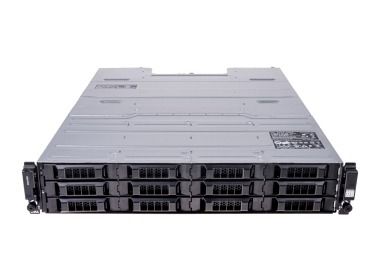
The Dell PowerVault MD1400 is a 2U DAS (Direct Attached Storage) enclosure for 3.5" drives with a 12 Gb/s SAS interface. It connects directly to a server to add data capacity without expanding the server itself. It works well for backups, archives, virtualization and other workloads that need large, fast storage capacity.
What types of drives can I use in the MD1400?
The MD1400 supports hot-plug 3.5" drives with a SAS interface, including high-capacity NL-SAS drives. 2.5" drives (e.g. SSDs) can be installed in adapters designed for 3.5" bays. The range of supported models depends on the configuration, so check the list of compatible drives for your version before buying.
How do I connect the MD1400 to a host?
The enclosure connects to the server with SAS cables, through a SAS HBA or RAID controller in the server (e.g. from the PERC family). The enclosure itself has no RAID controller of its own, so the host controller manages the logical volumes. Before buying, make sure the card in your server supports 12 Gb/s SAS and has the appropriate external ports.
What is the difference between the MD1400 and the MD1420?
Both enclosures belong to the same PowerVault MD14xx series and share a similar 12 Gb/s SAS architecture. The main difference is the bay format: the MD1400 holds 3.5" drives (geared toward maximum capacity), while the MD1420 holds smaller 2.5" drives (more drives in the same height). The right choice depends on whether capacity, or drive count and performance, matters more to you.
How do I choose an MD1400 configuration and check compatibility with my server?
Start with the capacity you need and the type of data, then choose the drive type (NL-SAS for capacity, SSD for performance). Next, check that the controller in your server works with the MD1400 and has the right SAS ports. If you're not sure about compatibility, contact the store's advisor before placing your order.